10
Care of the machine
10-6 CS193/CS173/CS163
10.1.7 Print head
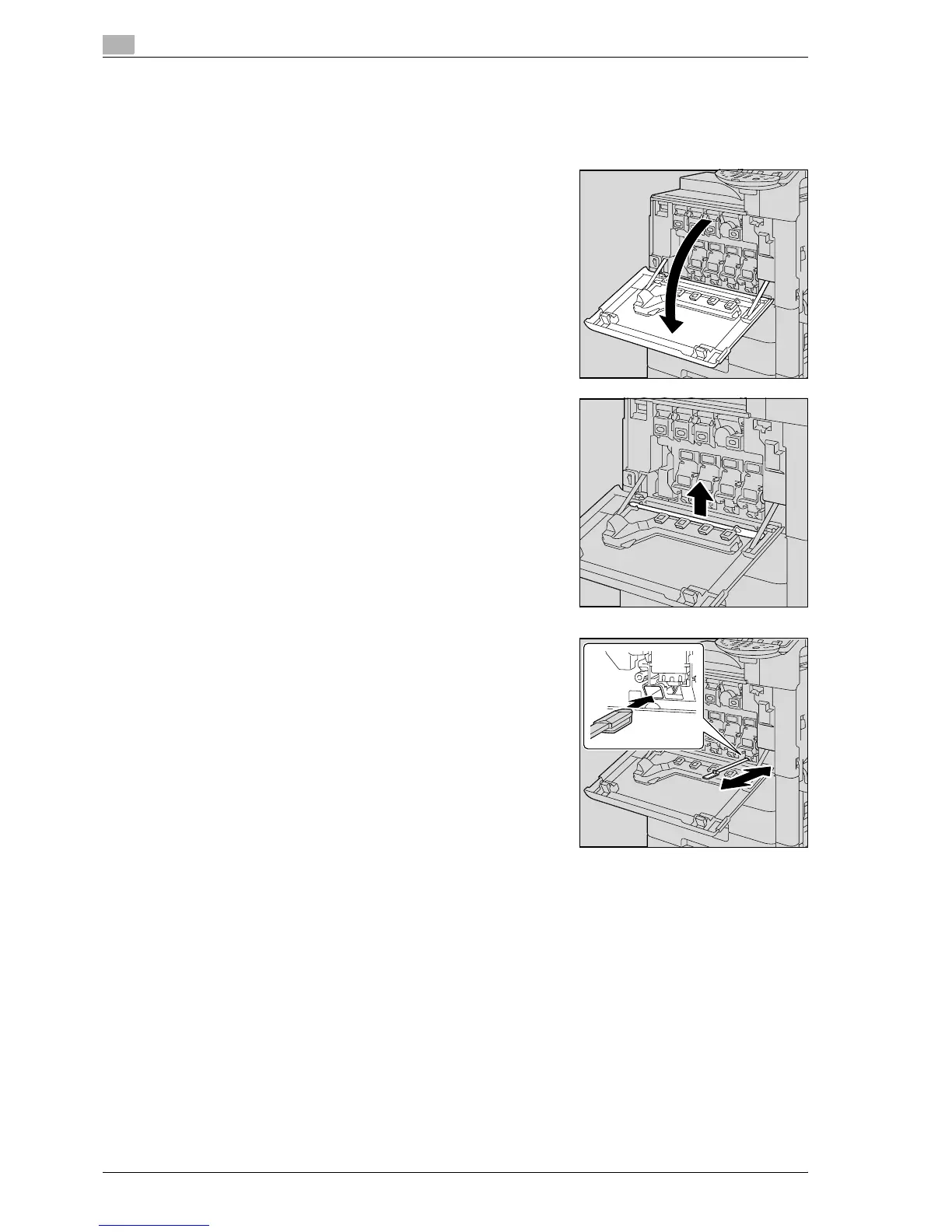
If the print head becomes dirty, decreased print quality may result. If this occurs, clean the print head
according to the following procedure.
1 Open the machine’s front door.
2 Remove the print head glass cleaning tool from the front door
of the machine.
3 Insert the print head glass cleaning tool into the print head
cleaning opening, pull it out, and then repeat this back-and-
forth movement twice or three times.



 To Next Page