CS193/CS173/CS163 10-7
Care of the machine
10
10.2 Viewing counters (Meter Count)
10.2.1 Viewing counters
The Meter Count screen can be displayed so that the total number of prints since counting started can be
viewed.
In addition, the list of counters can be printed.
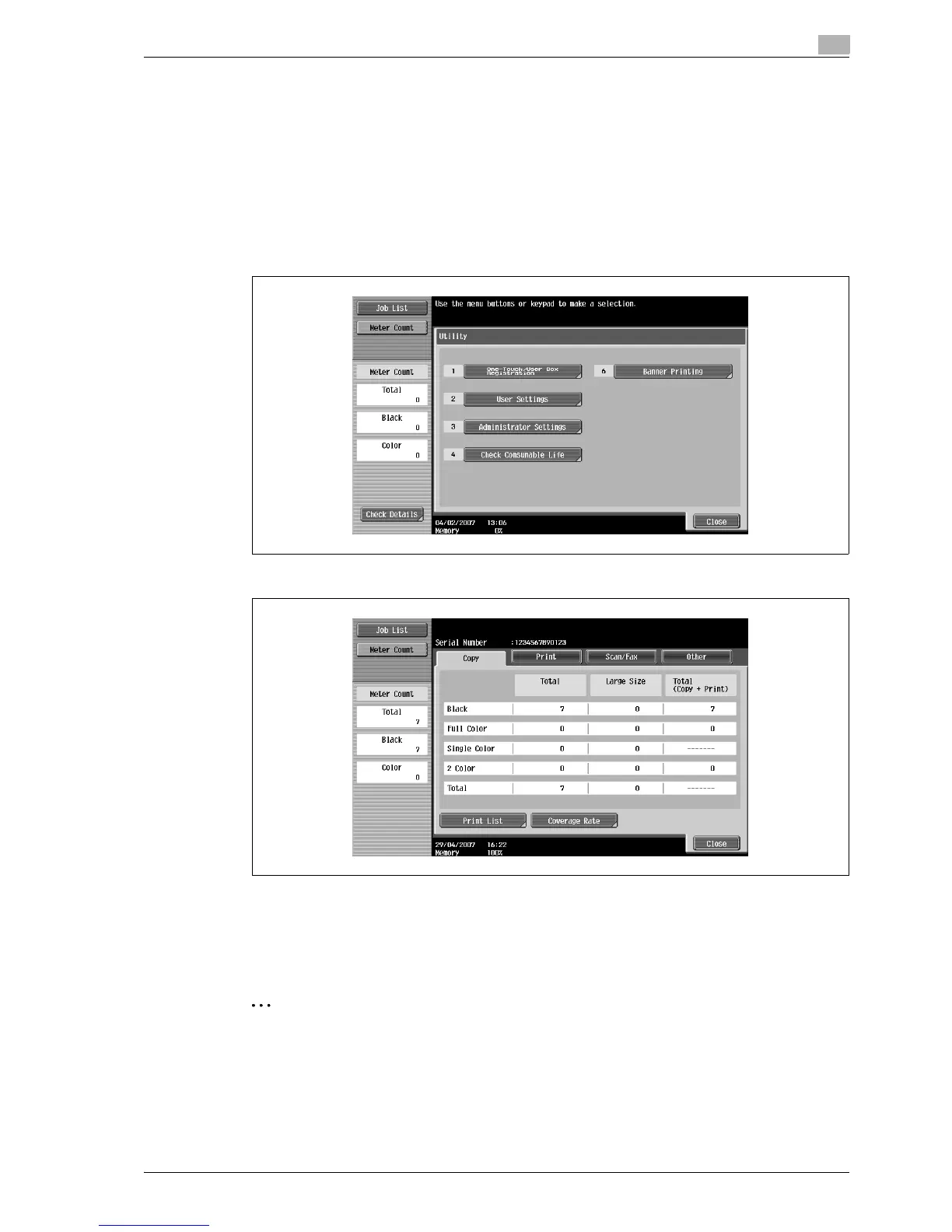
1 Press the [Utility/Counter] key.
2 Touch [Meter Count], and then touch [Check Details] in the left panel.
The Meter Count screen appears.
?
Can the list of counters be printed?
% Touch [Print List], select the paper size, and then press the [Start] key.
3 Touch [Close], and then touch [Close] in the next screen that appears.
The Basic screen appears again.
2
Note
The list of counters can be displayed even while the machine is copying or printing.



 To Next Page