9
Replacing toner cartridges and staple cartridges and emptying punch scrap box
9-18 CS193/CS173/CS163
9.4.1 To replace the staple cartridge in the finisher
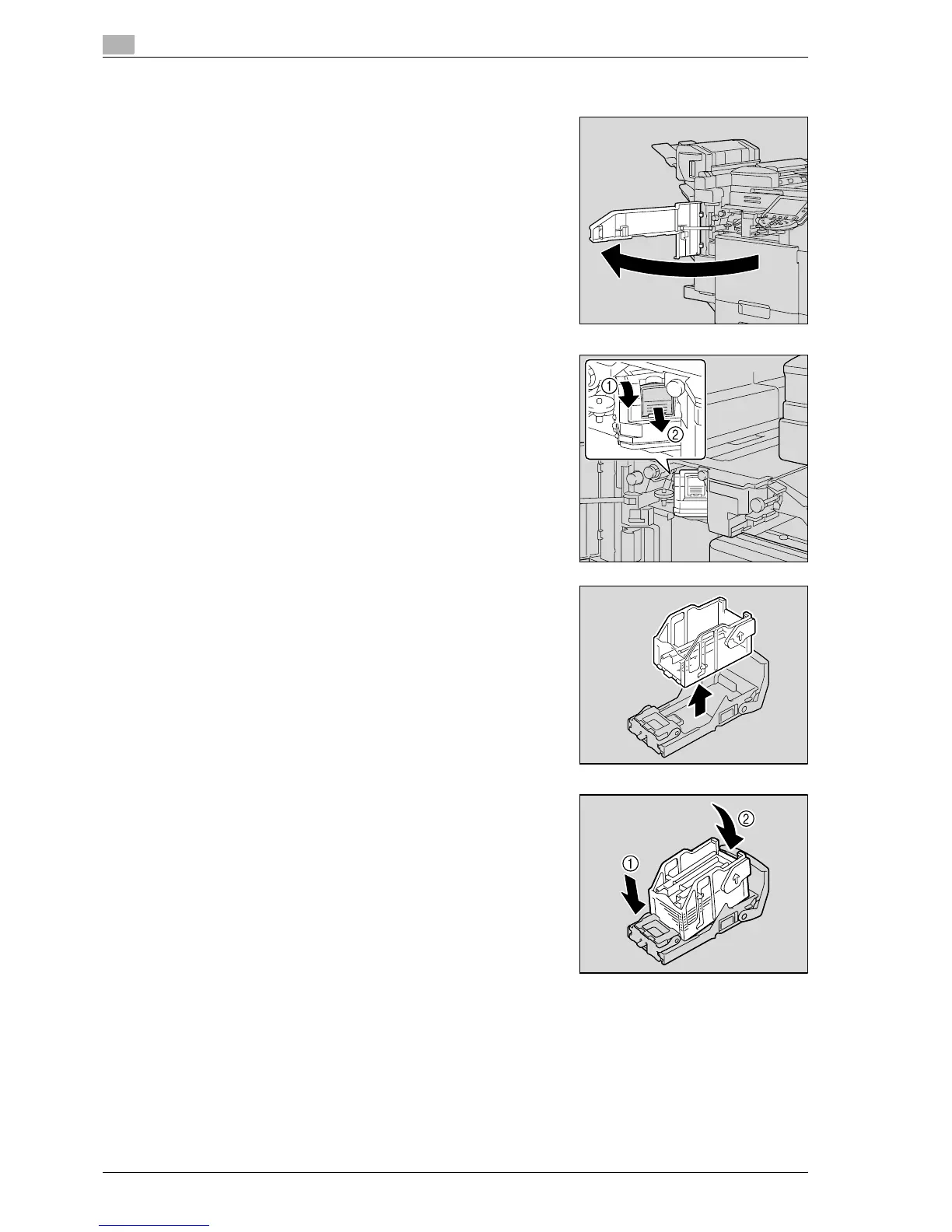
1 Open the front door.
2 Remove the staple cartridge holder.
– Pull the staple cartridge holder toward you to remove it.
– Only touch the blue parts of the staple cartridge.
3 Remove the empty cartridge from the staple cartridge holder.
4 Load the new staple cartridge into the staple cartridge holder.
– Do not remove the remaining staples, otherwise the
machine will not be able to staple after the cartridge is
replaced.



 To Next Page