CS193/CS173/CS163 3-63
Basic copy operations
3
3.11.2 Adjusting the background density (Background Removal settings)
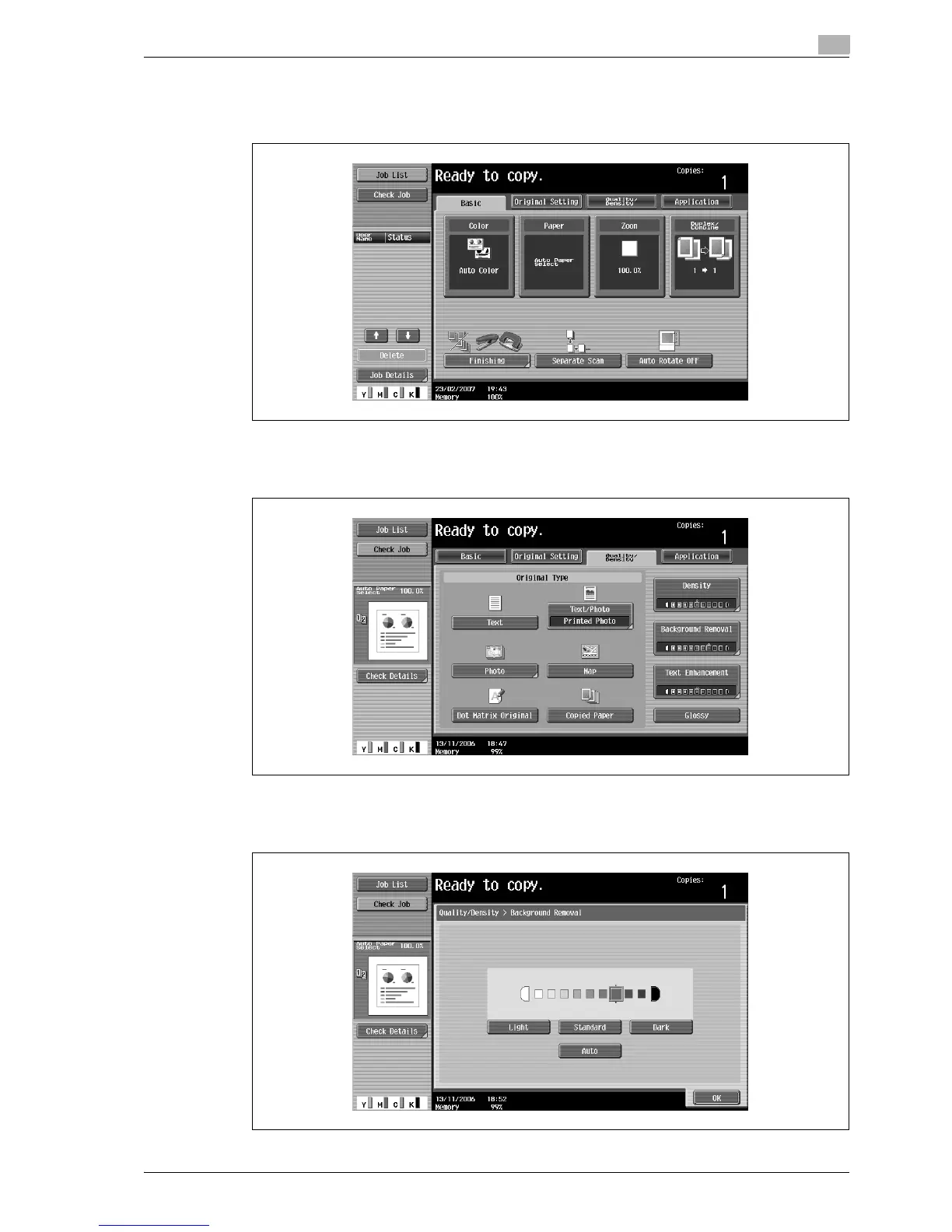
1 In the Basic screen, touch [Quality/Density].
The Quality/Density screen appears.
2 Touch [Background Removal].
The Background Removal screen appears.
3 Select the desired Background Removal setting.



 To Next Page