3
Basic copy operations
3-62 CS193/CS173/CS163
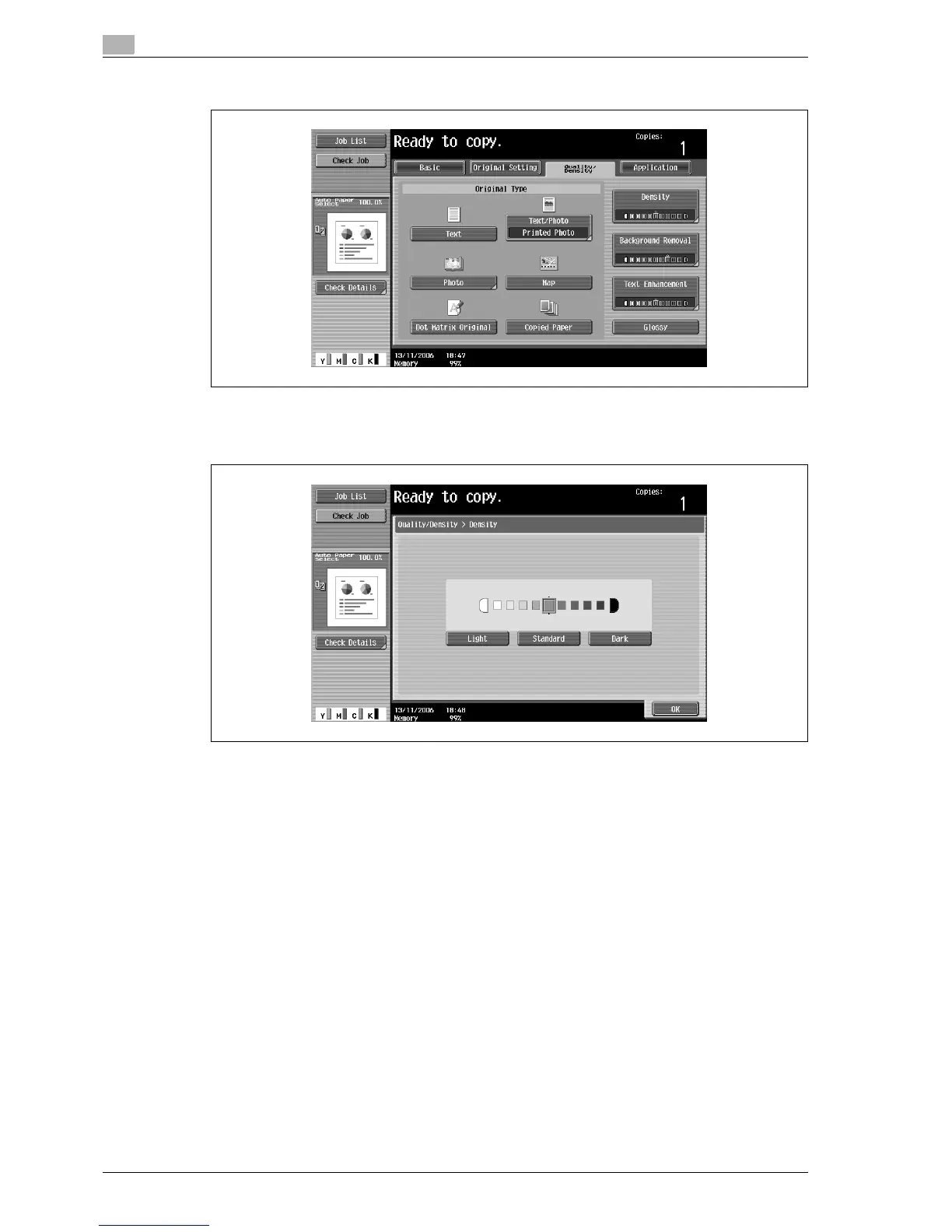
2 Touch [Density].
The Density screen appears.
3 Select the desired Density setting.
– Each time [Light] or [Dark] is touched, the density is lightened or darkened by one level.
– To select the center setting (default setting), touch [Standard].
– To cancel the setting and select the default, press the [Reset] key.
4 Touch [OK].



 To Next Page