8
Application functions
8-78 CS193/CS173/CS163
8.20.1 Printing the date/time ("Date/Time" function)
1 Position the original to be copied.
– For details on positioning the original, refer to "Feeding the original" on page 3-8.
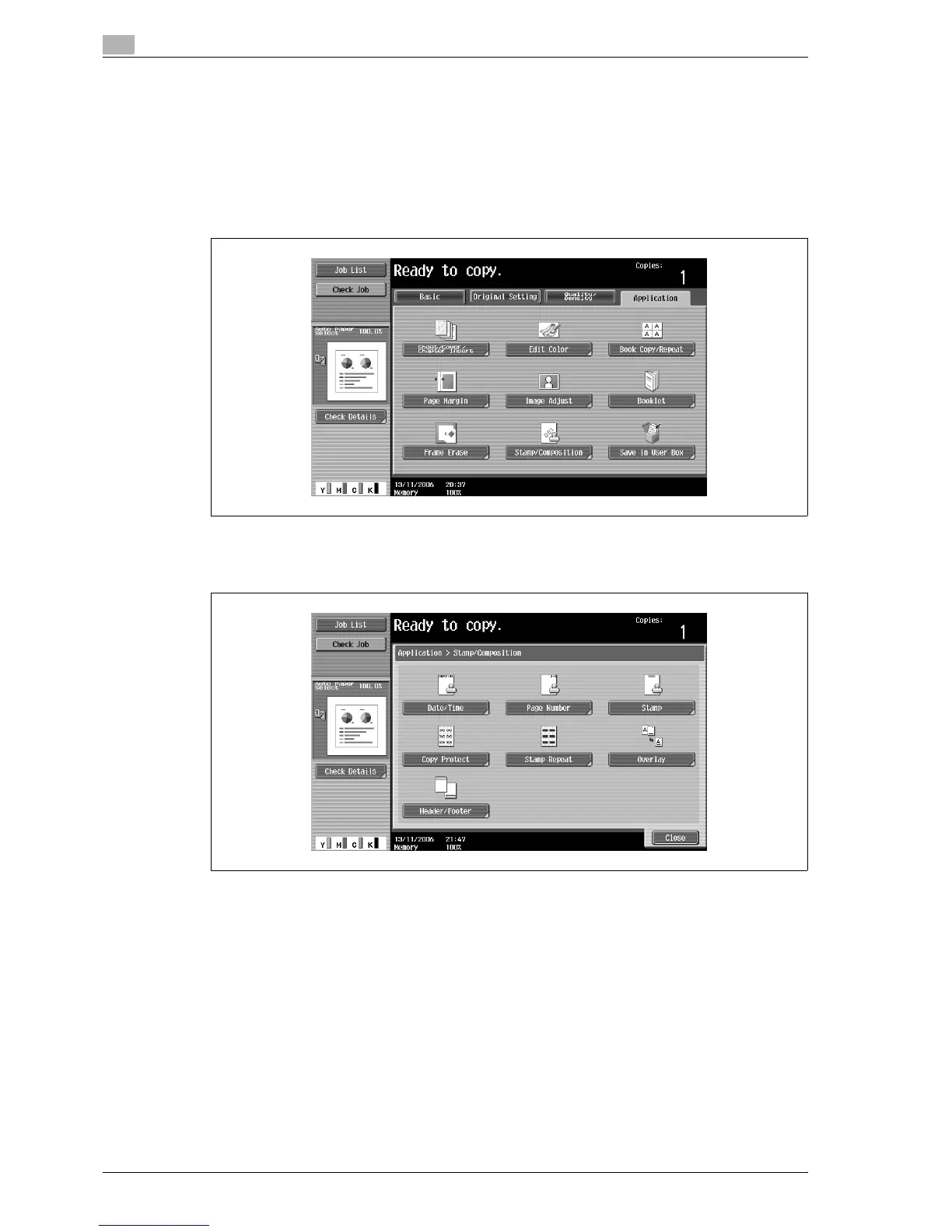
2 Touch [Application], and then touch [Stamp/Composition].
– To cancel changes to the settings for all Application functions, press the [Reset] key. All changes to
the settings are canceled.
The Stamp/Composition screen appears.
3 Touch [Date/Time].
The Date/Time screen appears.



 To Next Page