8
Application functions
8-108 CS193/CS173/CS163
2
Note
With the "Restrict User Access" parameter in Administrator mode, changes to a registered overlay
without administrator permission can be prevented.
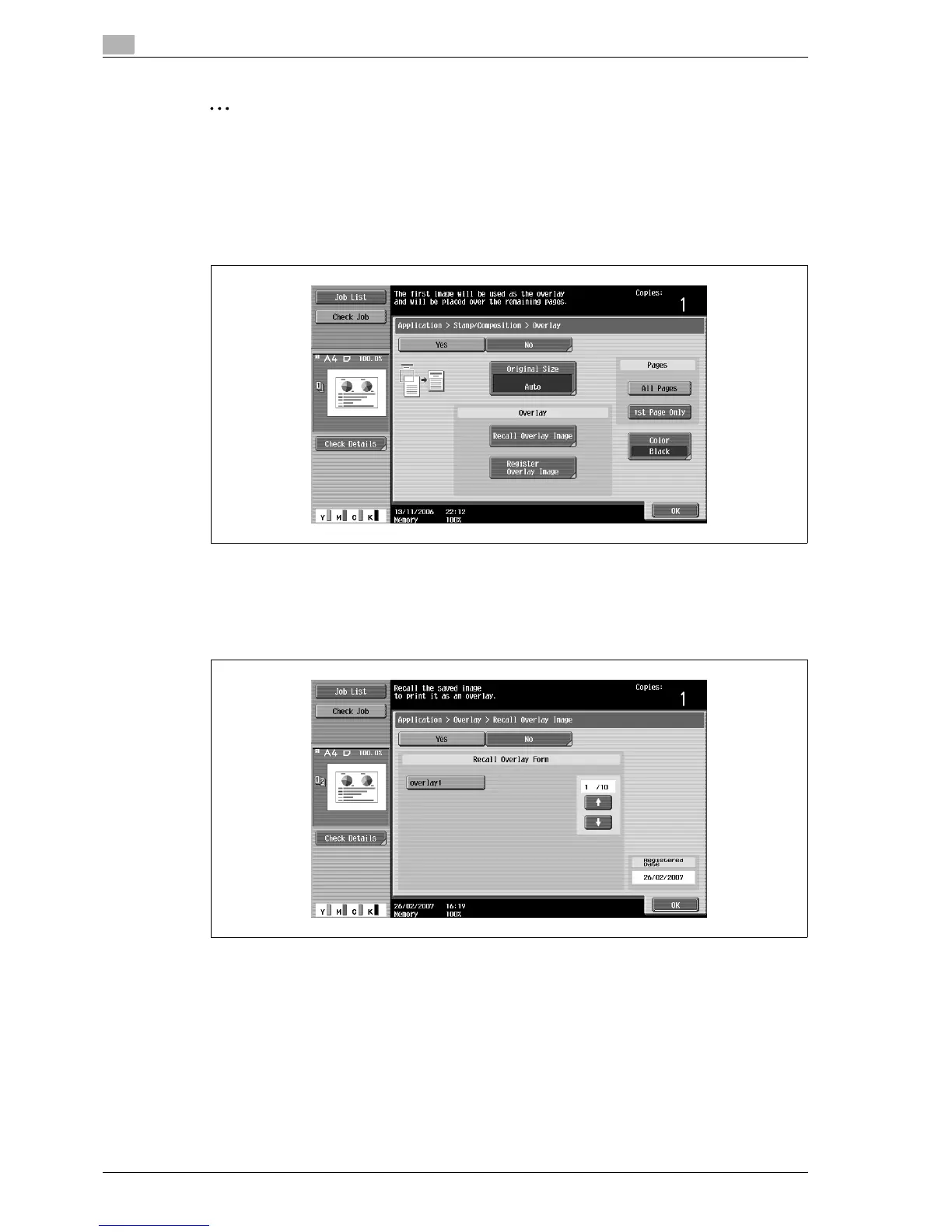
8.20.8 Using a registered overlay ("Overlay" function)
1 In the Overlay screen, touch [Recall Overlay Image].
– To cancel the "Overlay" function, touch [No].
The Recall Overlay Image screen appears.
2 Touch the button for the registered overlay to be used, and then touch [OK].
– After touching the button for the registered overlay, the date that the overlay was registered
appears.
3 Touch [OK] and then touch [Close] in the next screen that appears.
4 Specify any other desired copy settings.
5 Using the keypad, type in the desired number of copies.
6 Press the [Start] key.



 To Next Page