5
Troubleshooting
5-42 CS193/CS173/CS163
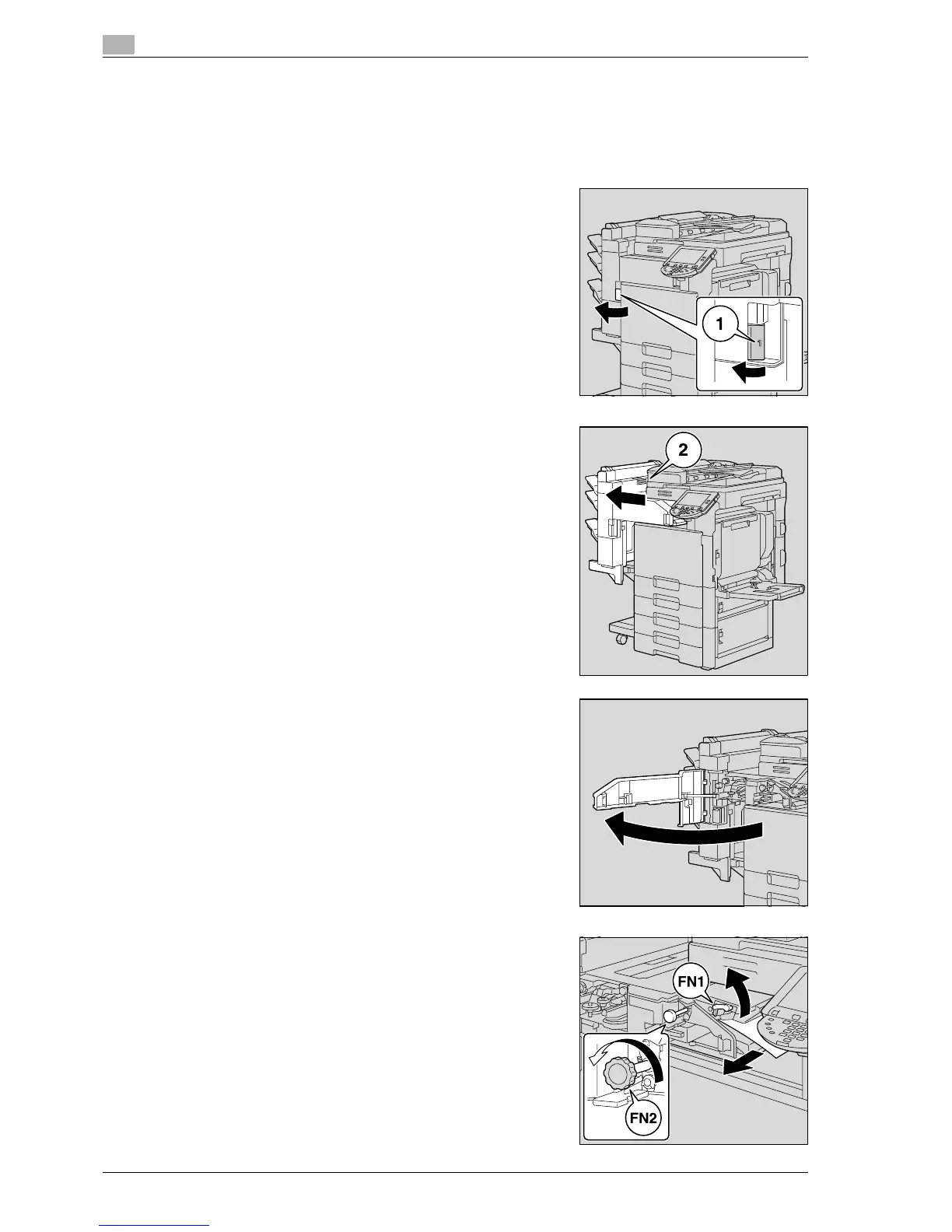
5.2.18 Clearing a paper misfeed in finisher
!
Detail
For details on the positions of paper misfeeds, refer to "Paper misfeed indications" on page 5-6.
1 Pull the finisher release lever 1 to unlock the finisher.
2 Grab the finisher at "2", and then slide the finisher away from
the main unit.
– To move the finisher away from the main unit, be sure to
grab it at "2". Do not grab the mailbins or saddle stitcher
to move the finisher, otherwise they may be damaged.
3 Open the front door.
4 Raise lever FN1, turn dial FN2, and then pull out any paper.



 To Next Page