CS193/CS173/CS163 5-43
Troubleshooting
5
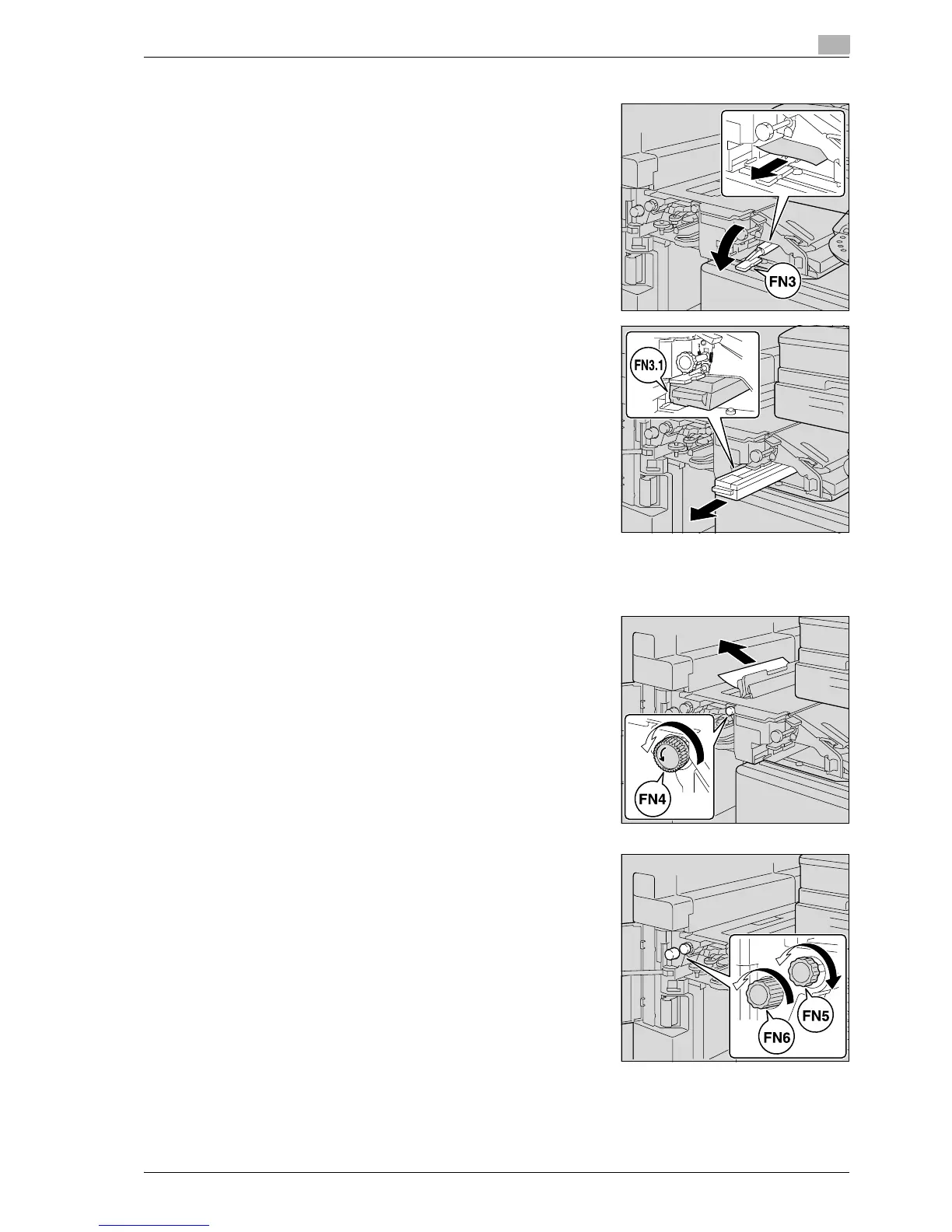
5 Lower guide FN3, and then pull out any paper.
– If the punch kit is installed, pull out the hole-punch waste
container FN3.1.
6 Return guide FN3 to its original position.
– If the punch kit is installed, insert the hole-punch waste container FN3.1 into its original position.
7 Turn dial FN4 to feed the paper, open the transport unit cover,
and then pull out any paper.
8 Turn dial FN5 or dial FN6, and then pull out any paper.



 To Next Page