11
Managing jobs
11-12 CS193/CS173/CS163
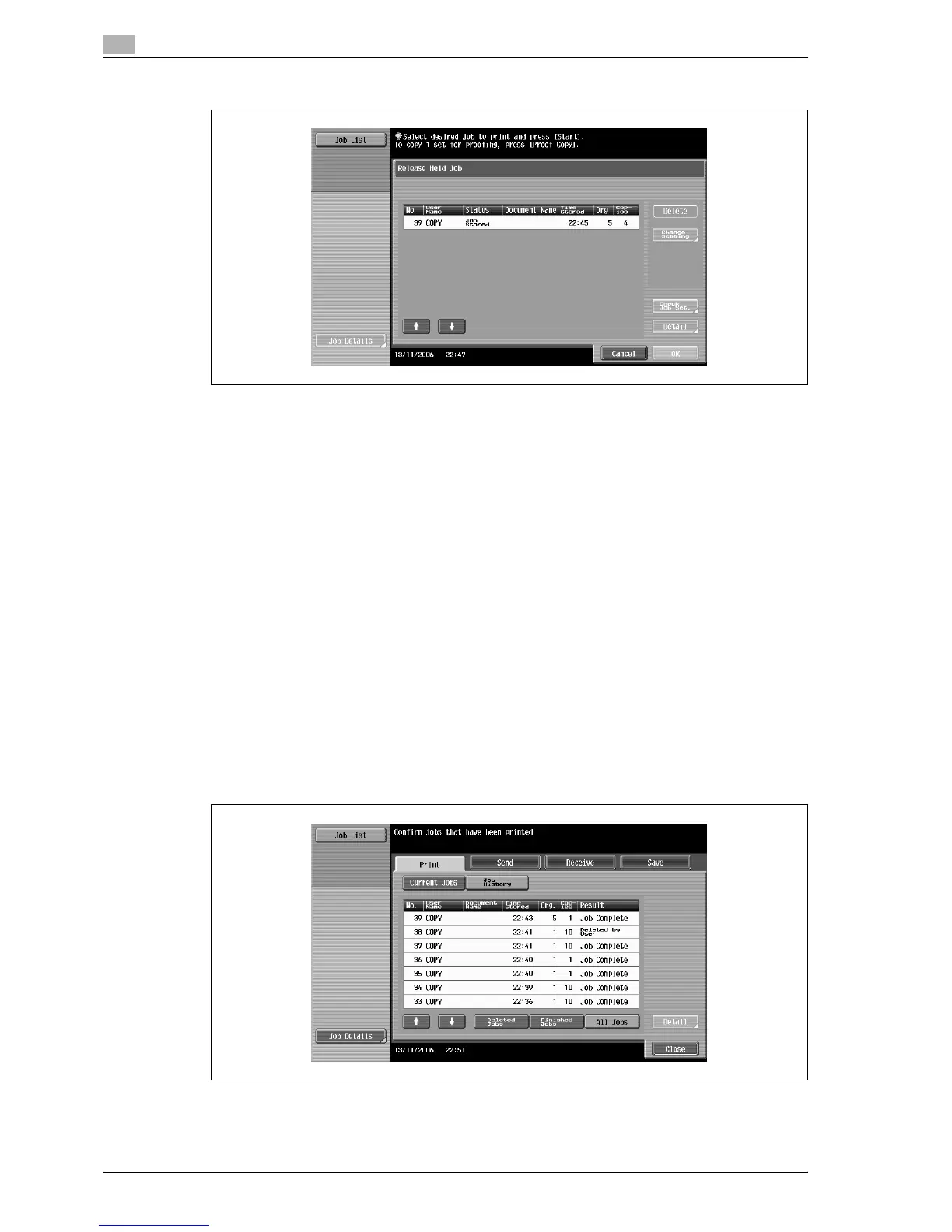
– To display the stored jobs, touch [Release Held Job] to display the Release Held Job screen.
To return to the Job List screen, touch [Cancel].
!
Detail
For details on the function of each button, refer to "Job List screens" on page 11-4.
From the Release Held Job screen, proof copies of stored jobs can be printed. For details, refer to
"Printing a proof copy of a stored job" on page 11-13.
Stored jobs can be printed from the Release Held Job screen. For details, refer to "Printing a stored
job" on page 11-14.
To give priority for output to a job, touch [Increase Priority] in the Current Jobs list. For more details,
refer to "Increasing printing priority" on page 11-16.
11.2.5 Displaying the Job History list
1 Touch [Job List] in the left panel, and then touch [Job Details].
The Job List screen appears.
2 Touch [Job History].
The Job History list of the Print tab appears.
3 Touch the button for the desired list.
– Deleted Jobs: Displays only jobs that were deleted before they were finished.
– Finished Jobs: Displays only jobs that were correctly completed.
– All Jobs: Displays all jobs.



 To Next Page