3
Basic copy operations
3-48 CS193/CS173/CS163
3.7.8 Storing the desired zoom ratio
Three frequently used zoom ratios and the zoom ratio for the "Minimal" setting can be stored.
0 If a value outside the allowable range is specified, the message "Input error" appears. Type a value
within the allowable range.
If the value was incorrectly entered, press the [C] (clear) key to erase the value, and then specify the
correct value.
0 To store a "Minimal" zoom ratio, type in the desired zoom ratio between 90.0% and 99.9%.
0 The default zoom ratios (400.0%, 200.0% and 50.0%) are stored. When a new zoom ratio is stored, it
overwrites the zoom ratio stored with the selected button.
If a button stored with a zoom ratio is not touched before [OK] is touched, no setting is changed.
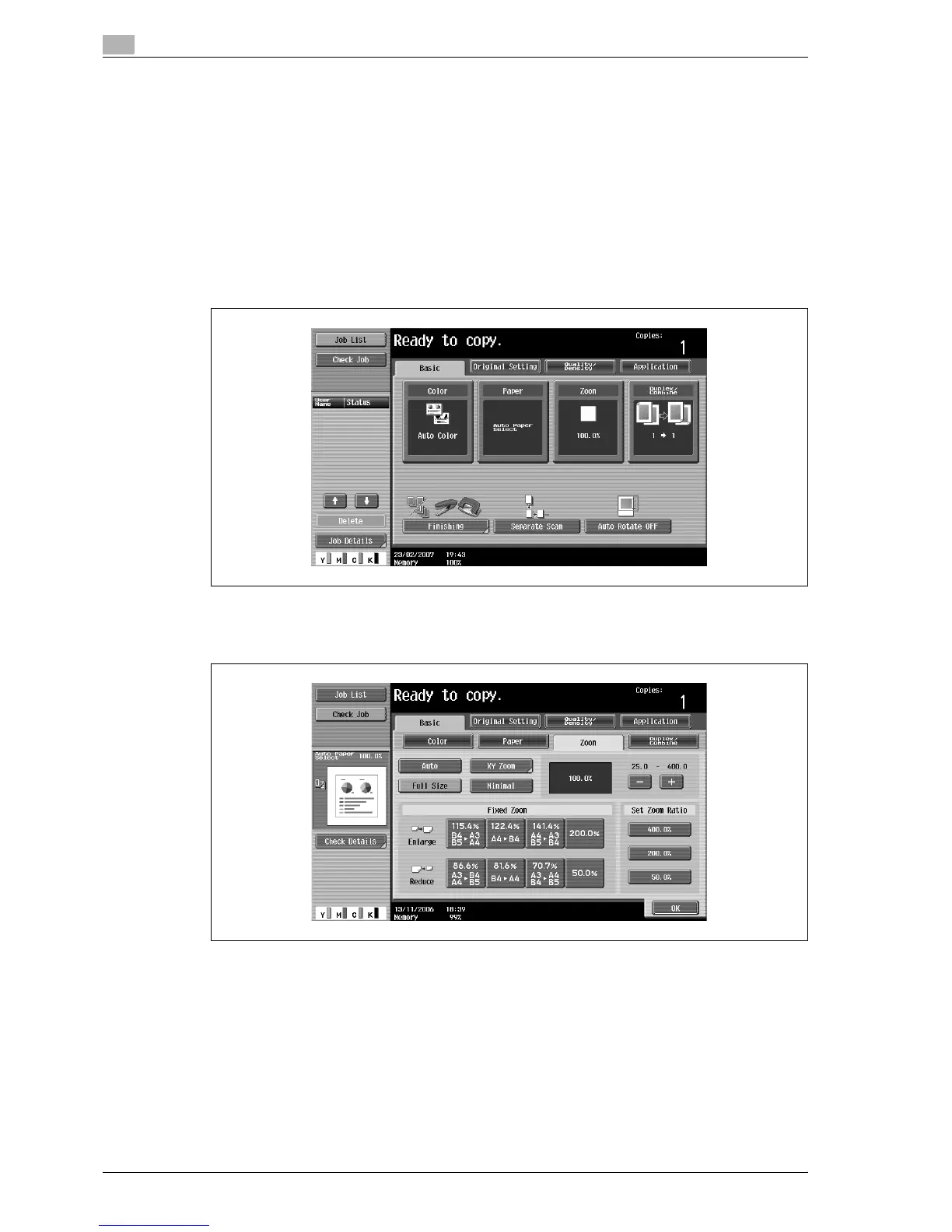
1 In the Basic screen, touch [Zoom].
The Zoom screen appears.
2 Touch [XY Zoom].



 To Next Page