CS193/CS173/CS163 3-45
Basic copy operations
3
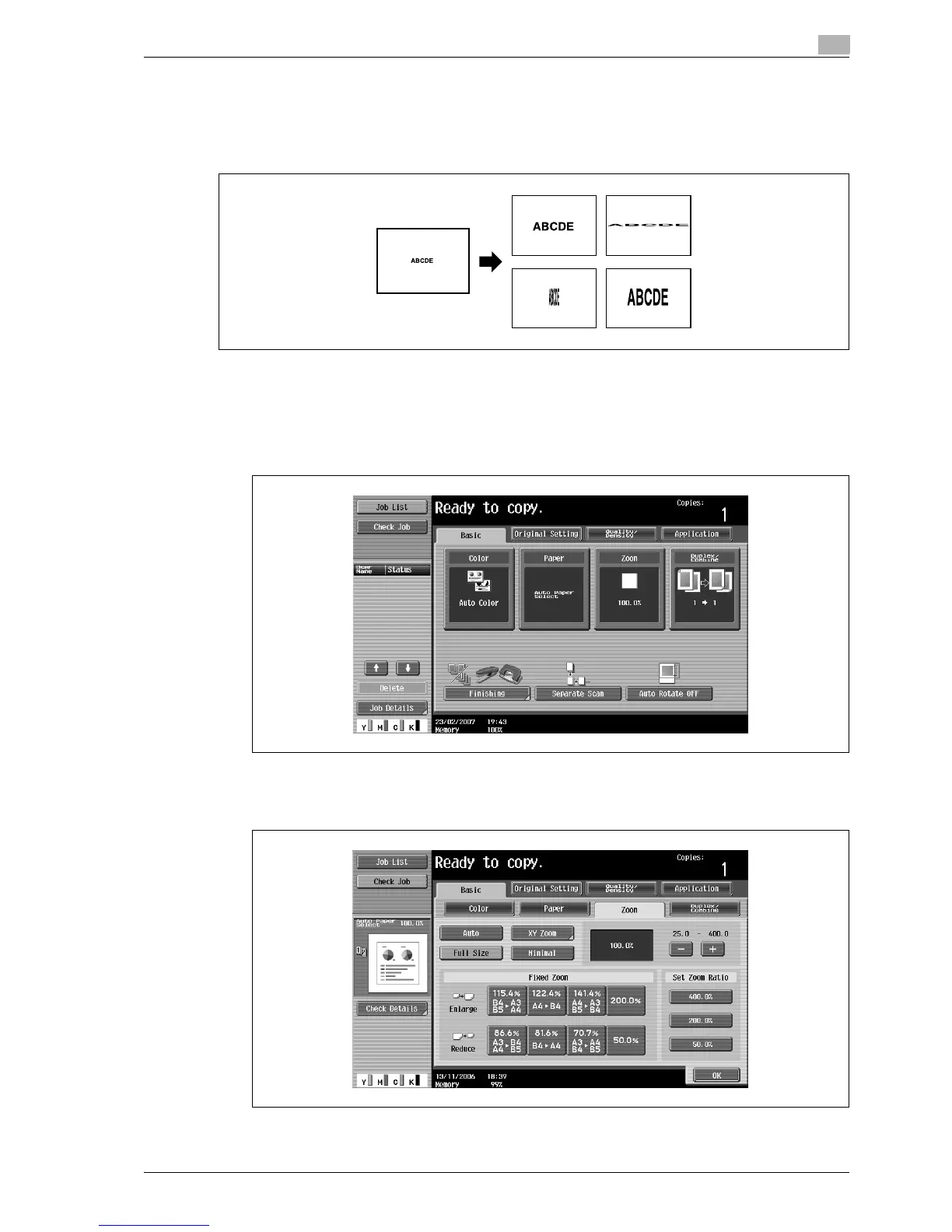
3.7.6 Typing in separate X and Y zoom ratios (Individual Zoom settings)
By using the keypad, separate zoom ratios can be typed in directly for the horizontal direction (between
25.0% and 400.0%) and for the vertical direction (between 25.0% and 400.0%).
By combining different horizontal and vertical zoom ratios, the copy image can be adjusted as shown below.
0 If a value outside the allowable range is specified, the message "Input error" appears. Type a value
within the allowable range.
If the value was incorrectly entered, press the [C] (clear) key to erase the value, and then specify the
correct value.
1 In the Basic screen, touch [Zoom].
The Zoom screen appears.
2 Touch [XY Zoom].



 To Next Page