3
Basic copy operations
3-44 CS193/CS173/CS163
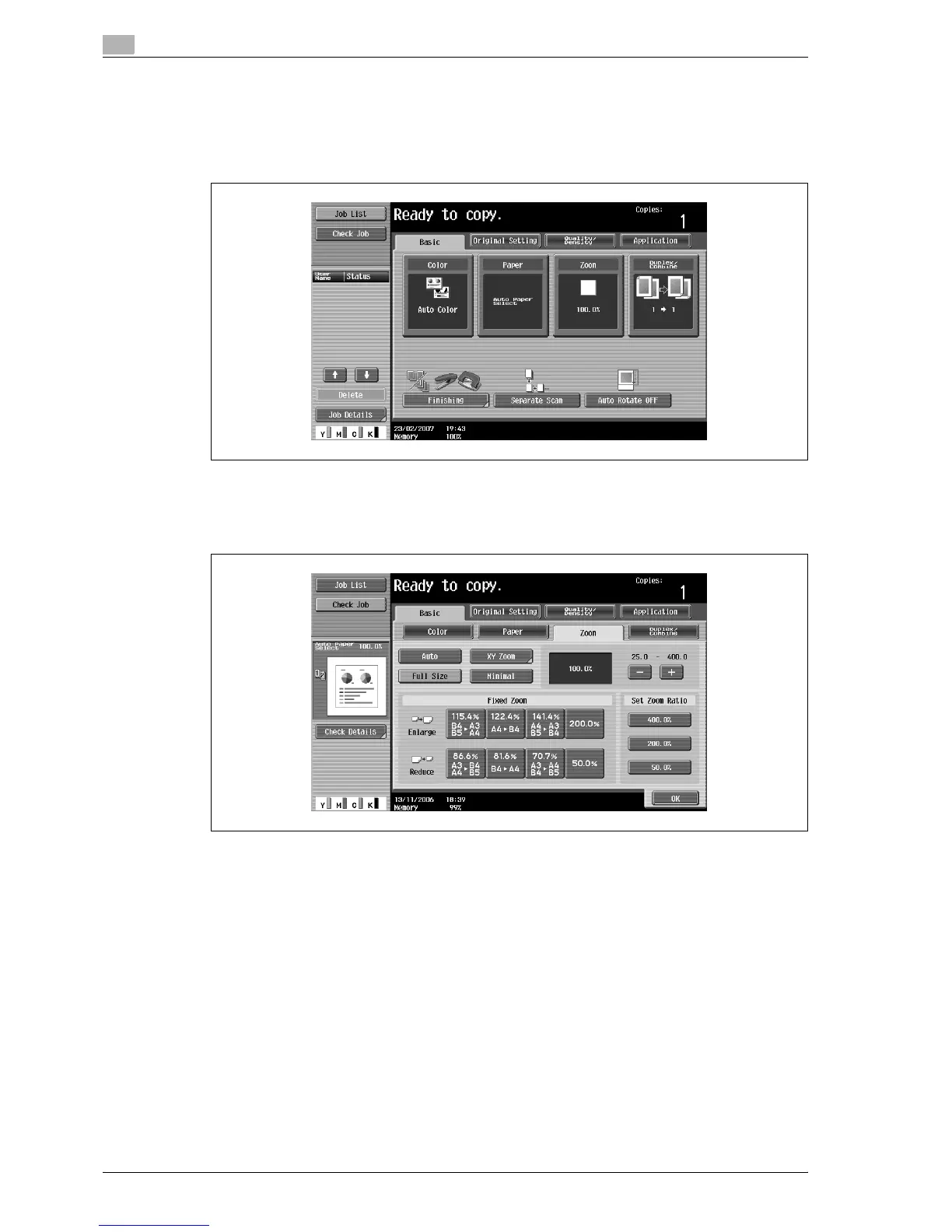
3.7.5 Selecting a preset zoom ratio (Enlarge and Reduce settings)
The most suitable zoom ratios for copying from common standard original sizes to standard paper sizes are
preset.
1 In the Basic screen, touch [Zoom].
The Zoom screen appears.
2 Touch the button for the appropriate zoom ratio beside "Enlarge" and "Reduce", depending on the
original and paper sizes.
3 Touch [OK].
The Basic screen appears again.



 To Next Page