CS193/CS173/CS163 8-107
Application functions
8
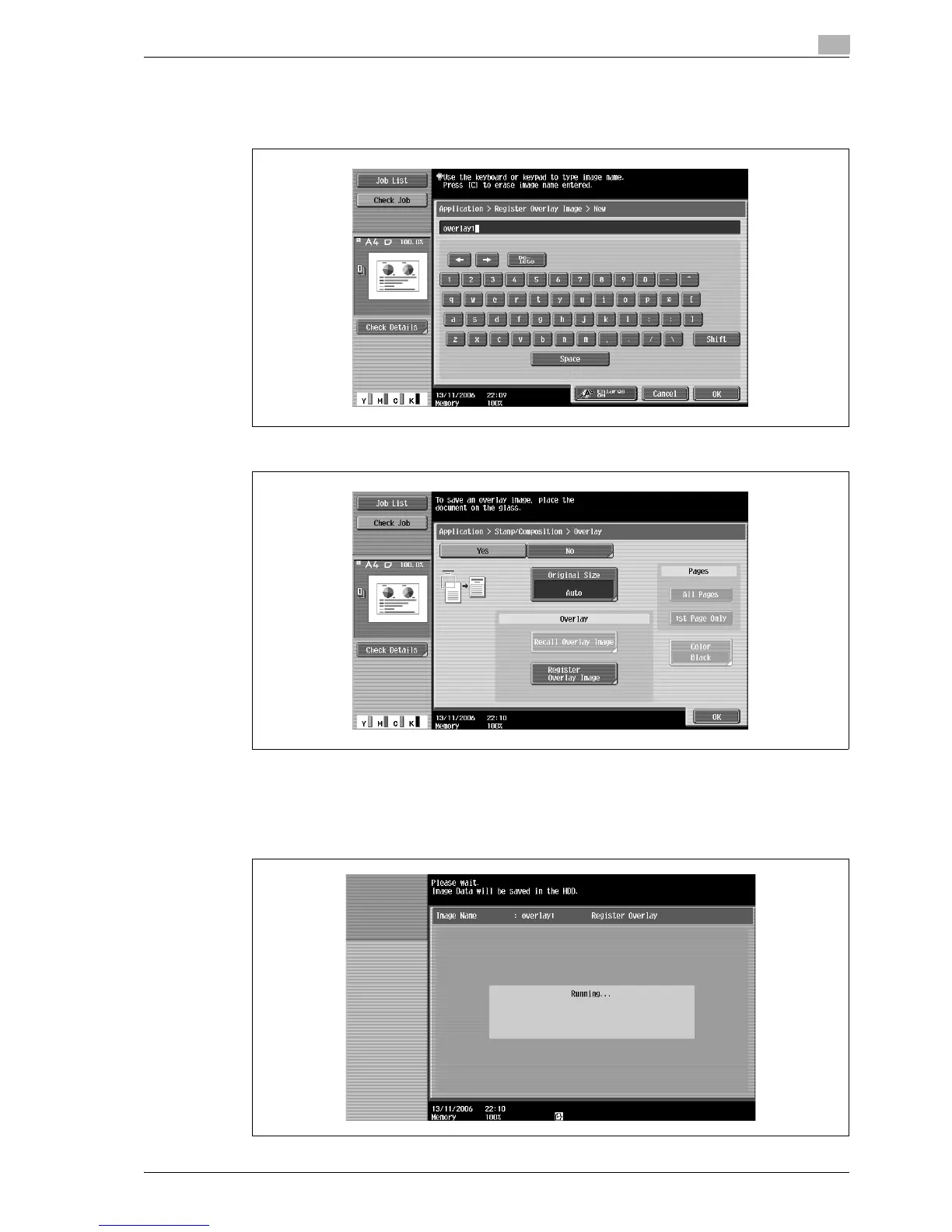
3 Type in the image name, and then touch [OK].
– Touch the buttons in the keyboard that appears in the screen to type. For details on typing in text,
refer to "Entering text" on page 13-3.
4 Touch [OK], and then touch [Close].
5 Specify any other desired copy settings.
6 Press the [Start] key.
7 The original is scanned, then saved as a registered overlay.



 To Next Page