CS193/CS173/CS163 8-79
Application functions
8
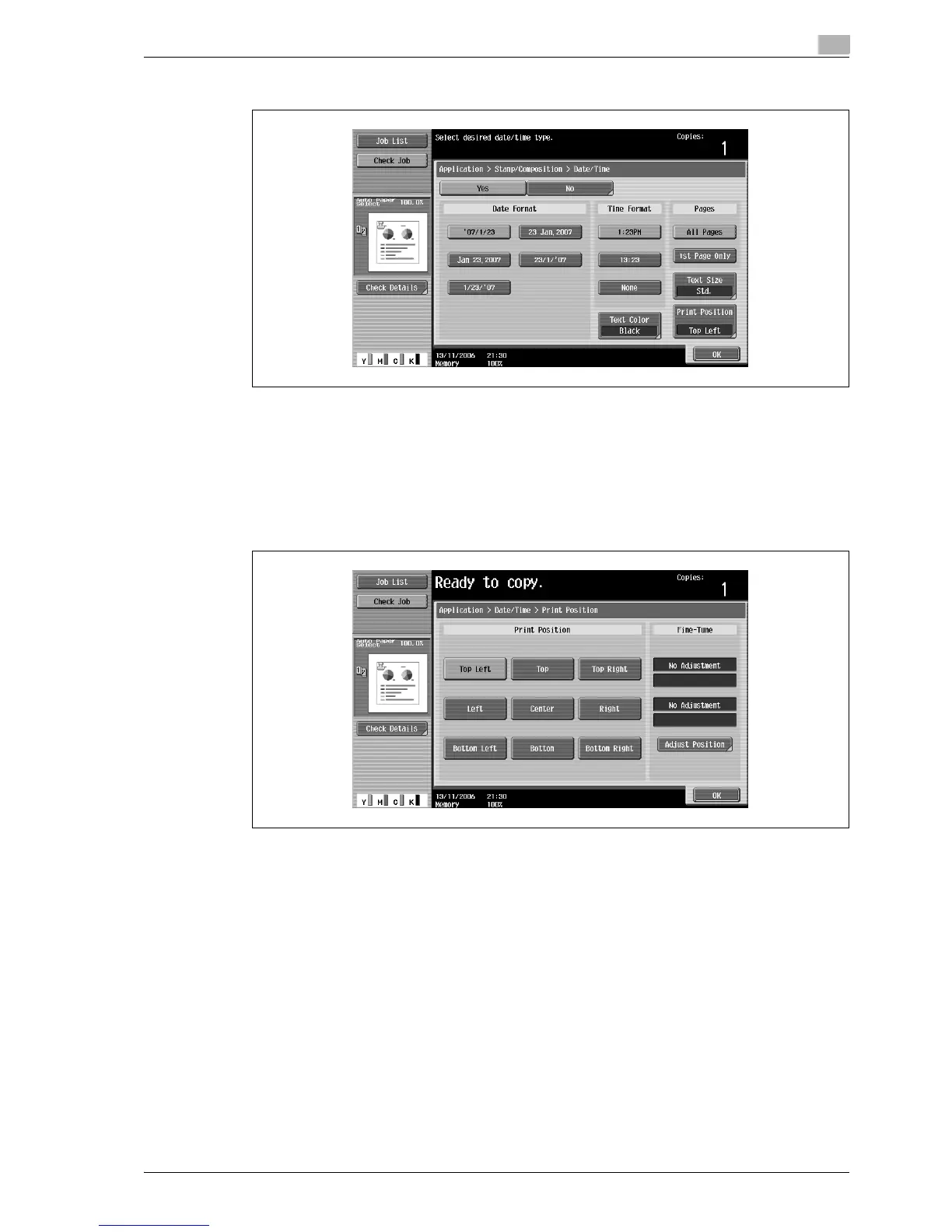
4 Touch buttons under "Date Format", "Time Format" and "Pages" to specify the various settings.
– To cancel the "Date/Time" function, touch [No].
– To print the date/time only on the first page, touch [1st Page Only].
– The stamp will not be printed on blank pages inserted using the "Cover Sheet", "Insert Sheet" and
"Chapters" functions.
?
Can the time be omitted?
% If "None" is selected, the time is not printed.
5 Touch [Print Position], and then select the printing position.



 To Next Page