8
Application functions
8-80 CS193/CS173/CS163
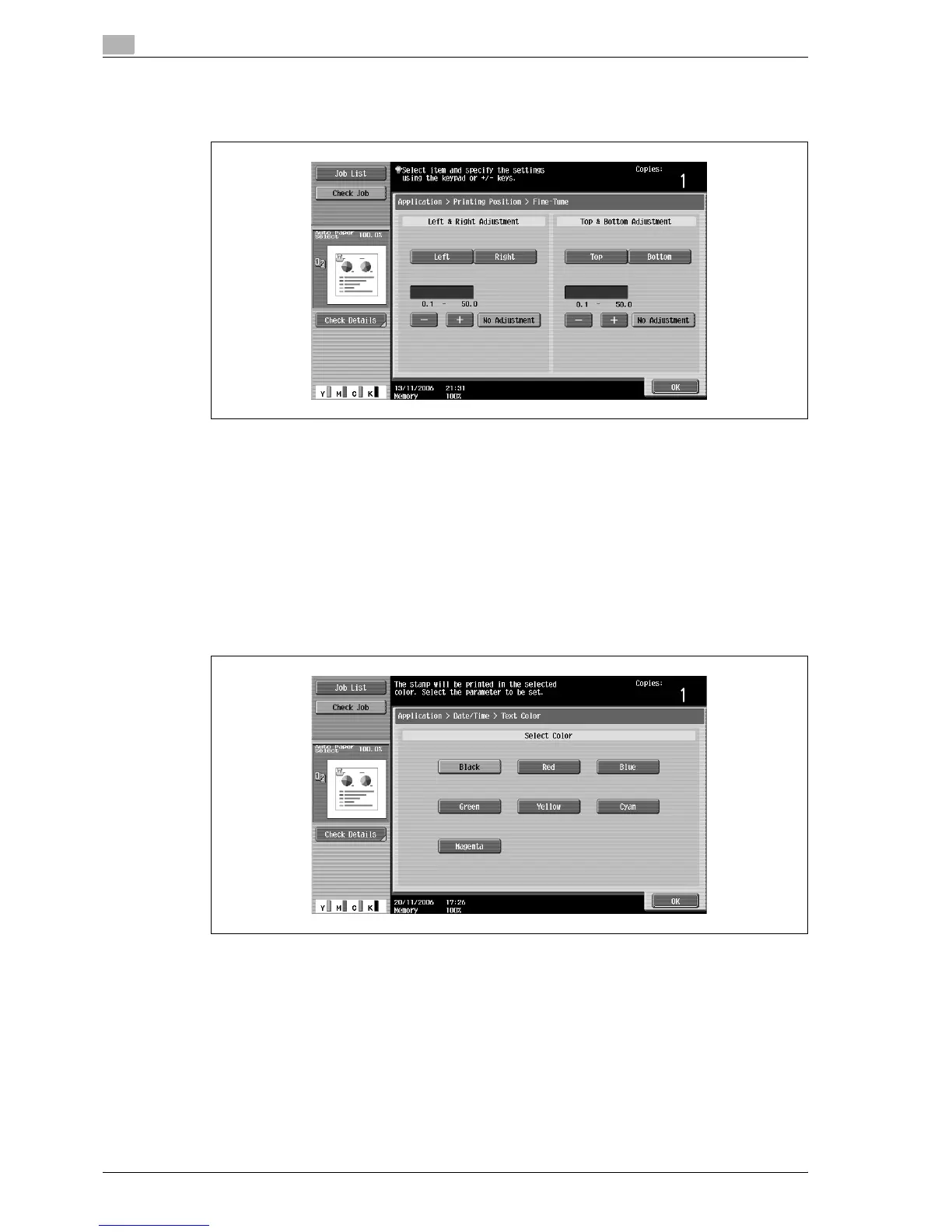
– To make fine adjustments to the printing position, touch [Adjust Position]. Select the desired
direction under "Left & Right Adjustment" or "Top & Bottom Adjustment", use the keypad or touch
[–] and [+] to specify the adjustment setting, and then touch [OK].
?
What are the limits on the adjustment amount?
% The print position can be finely adjusted in 0.1 mm increments.
?
Can no adjustments be made?
% To make no left/right or up/down adjustments, touch [No Adjustment].
?
What happens when a value outside of the allowable range is specified?
% The message "Input error" appears. If "Input error" appears or if the adjustment value was
incorrectly entered, touch [No Adjustment] or press the [C] (clear) key, and then specify the correct
value.
6 If necessary, specify the other settings.
– To specify the text color, touch [Text Color], and then select the color.



 To Next Page