CS193/CS173/CS163 8-69
Application functions
8
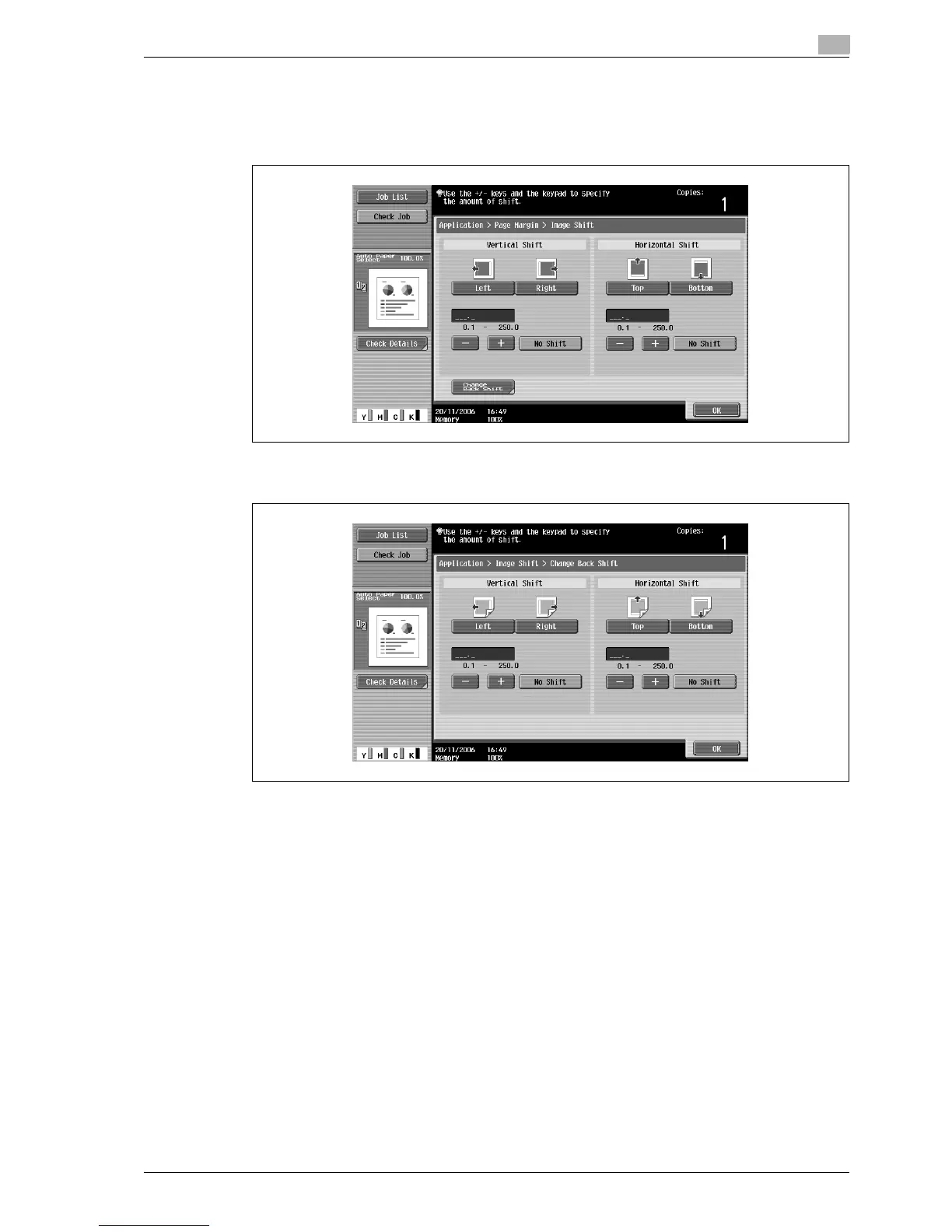
6 Adjust the position of the image, and then touch [OK].
– Touch [Left], [Right], [Top] or [Bottom] to select the direction to be adjusted, and then use the
keypad or touch [-] and [+] to specify the adjustment amount.
– To cancel the shift, touch [No Shift].
– To adjust the position of the image on the back side of the paper when printing double-sided copies,
touch [Change Back Shift].
7 If desired, touch [Original Direction], and then select the setting appropriate for the original.
– For details on specifying the original orientation, refer to "Selecting the original orientation (Original
Direction settings)" on page 3-24.
8 Touch [OK].
9 Specify any other desired copy settings.
10 Using the keypad, type in the desired number of copies.
11 Press the [Start] key.



 To Next Page