3
Basic copy operations
3-36 CS193/CS173/CS163
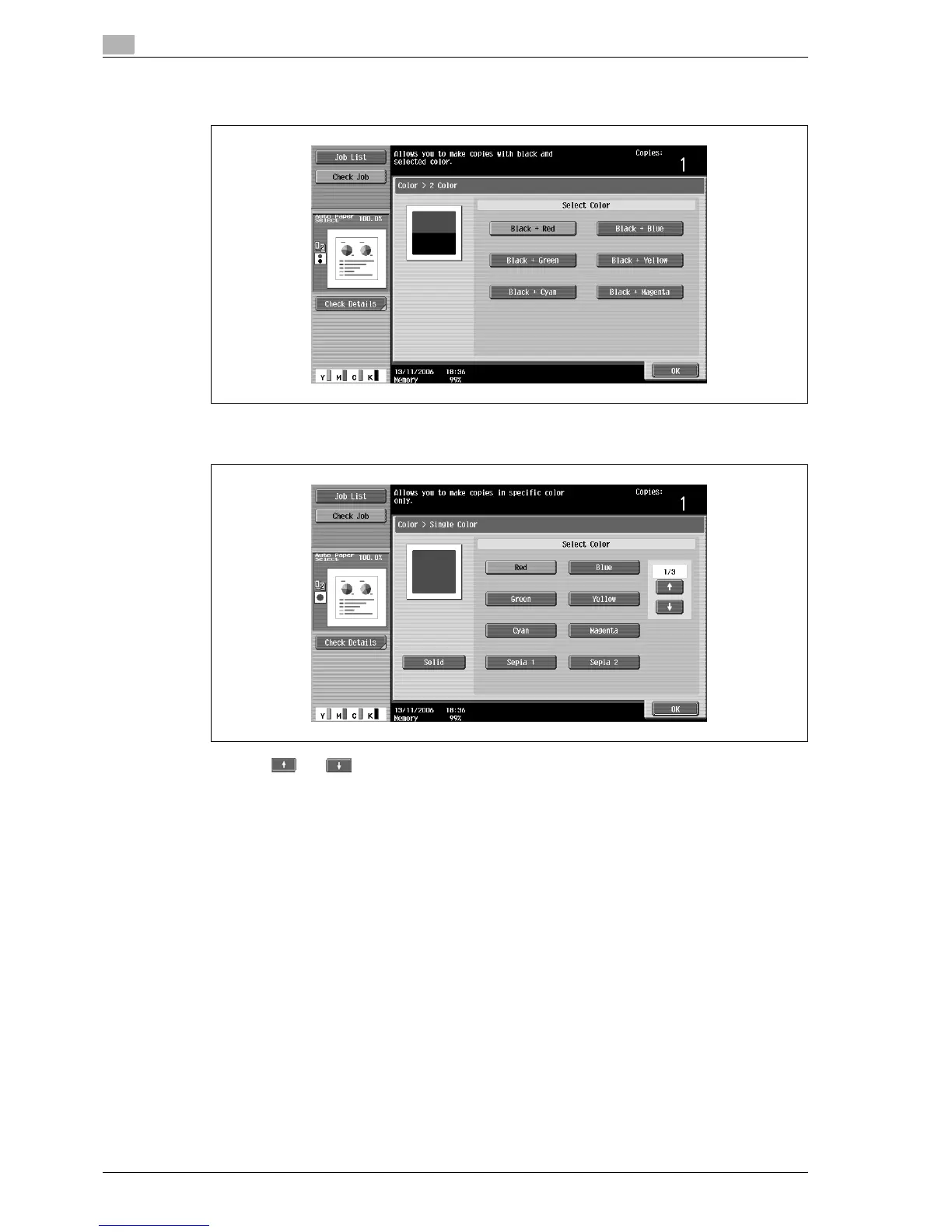
– With the "2 Color" setting, various color combinations are available. Color combinations other than
those displayed are not available.
– If the "Single Color" setting was selected, touch the button for the desired color, and then touch
[OK].
– Touch and to display other available colors.
– To use the average brightness method for reproducing gradations in monocolor originals, touch
[Solid].
– If the "Solid" setting is not selected, the relative luminosity method is selected.
3 Touch [OK].
The Basic screen appears again.



 To Next Page