3
Basic copy operations
3-80 CS193/CS173/CS163
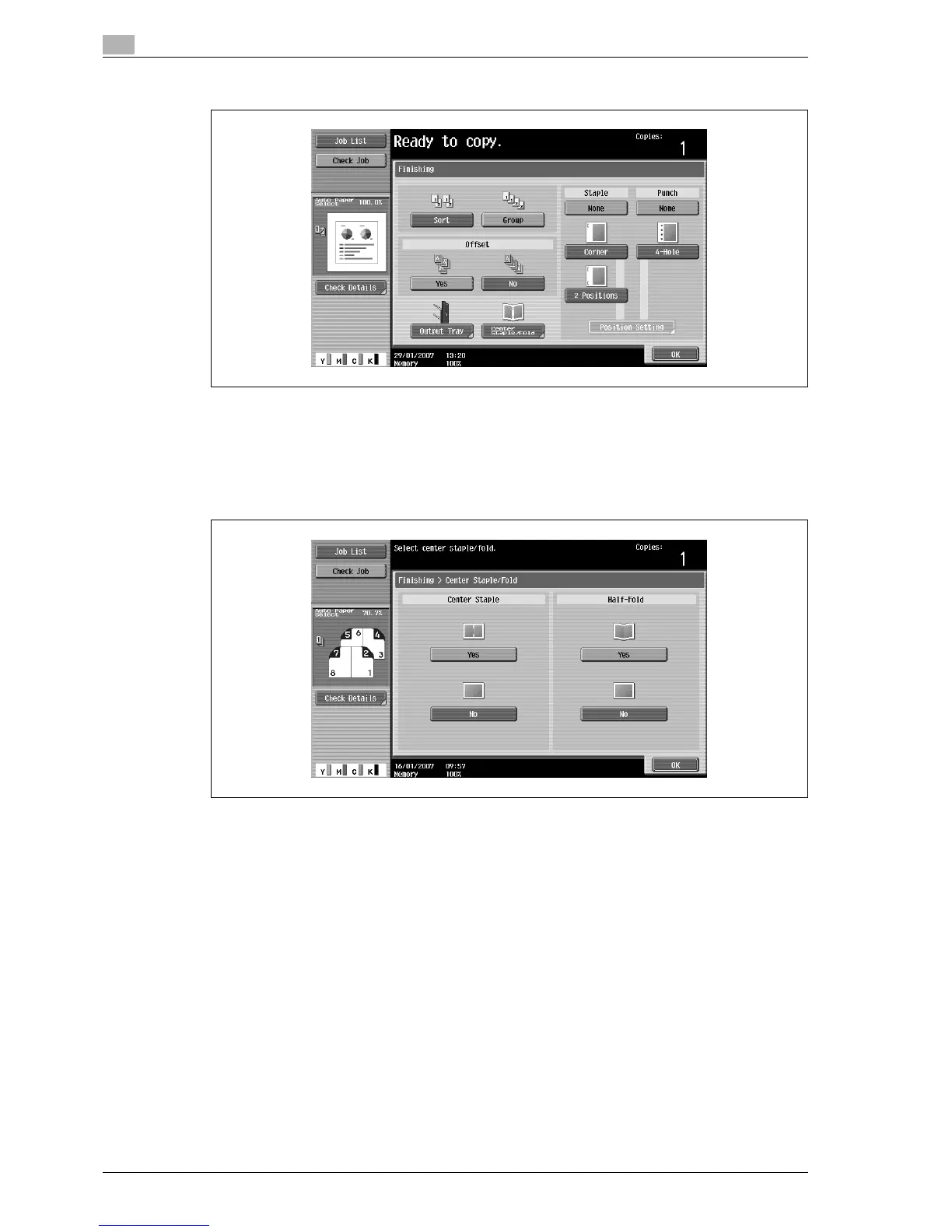
2 Touch [Center Staple/Fold].
The Center Staple/Fold screen appears.
3 Specify the settings for binding pages.
– To staple copies at the center in two places, touch [Yes] below "Center Staple" and [No] below
"Half-Fold".
– To bind copies at the center, touch [Yes] below "Center Staple" and [Yes] below "Half-Fold".
– If a cover sheet is added with the "Cover Sheet" function, the cover sheet (50 g/m
2
to 200 g/m
2
)
cannot be stapled.
– When the "Center Staple & Fold" setting is selected, the following factory default settings are
automatically selected.
1-Sided > 2-Sided
Booklet
Recommended zoom ratio (70.7%) when the "Booklet" function is selected
– When the "Center Staple & Fold" setting is selected, the following Finishing settings are not
available.
Group
Offset
Staple
Punch
– To cancel the "Center Staple & Fold" setting, touch [No] or the button for a different setting.
4 Touch [OK], and then touch [OK] again.



 To Next Page