CS193/CS173/CS163 4-25
Additional copy operations
4
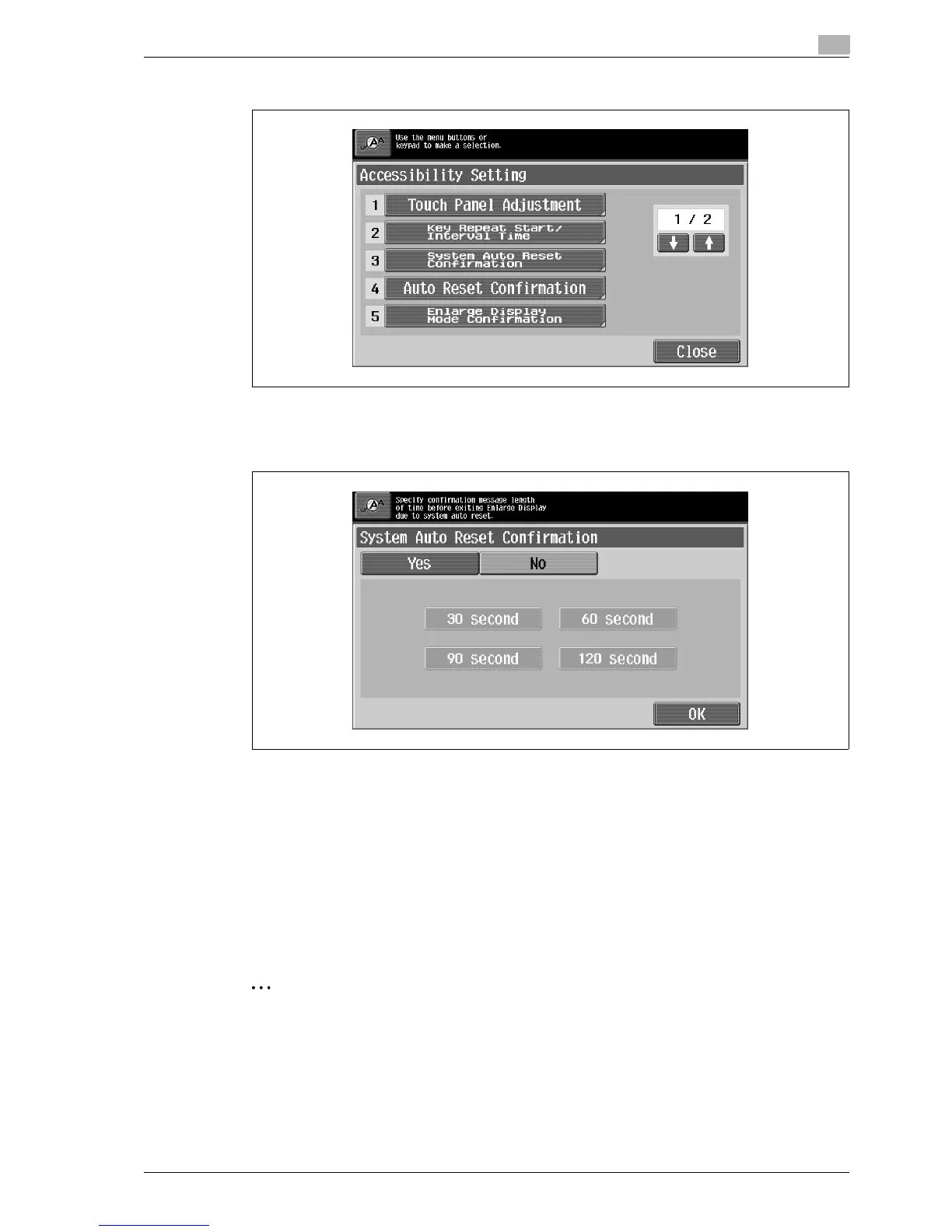
2 Touch [System Auto Reset Confirmation] or press the [3] key in the keypad.
The System Auto Reset Confirmation screen appears.
3 Touch the button for the desired display time.
– To not display the message requesting confirmation to exit Enlarge Display mode, touch [No].
– To display the message requesting confirmation to exit Enlarge Display mode, touch the button ([30
second], [60 second], [90 second] or [120 second]) for the length of time that the message is to be
displayed.
– To cancel changes to the settings, press the [Reset] key. All changes to the settings are canceled.
4 Touch [OK].
The Accessibility Setting screen appears again.
5 Touch [Close] or press the [Accessibility] key.
The Basic screen appears again.
2
Note
The Enlarge Display mode is compatible with basic copy, scanning and fax functions. With the Enlarge
Display mode, text and illustrations are displayed at a larger size so that they can be seen more easily.
For details, refer to the User manual – Enlarge Display Operations.
As the factory default, "No" is selected.



 To Next Page