7
Copy paper/originals
7-14 CS193/CS173/CS163
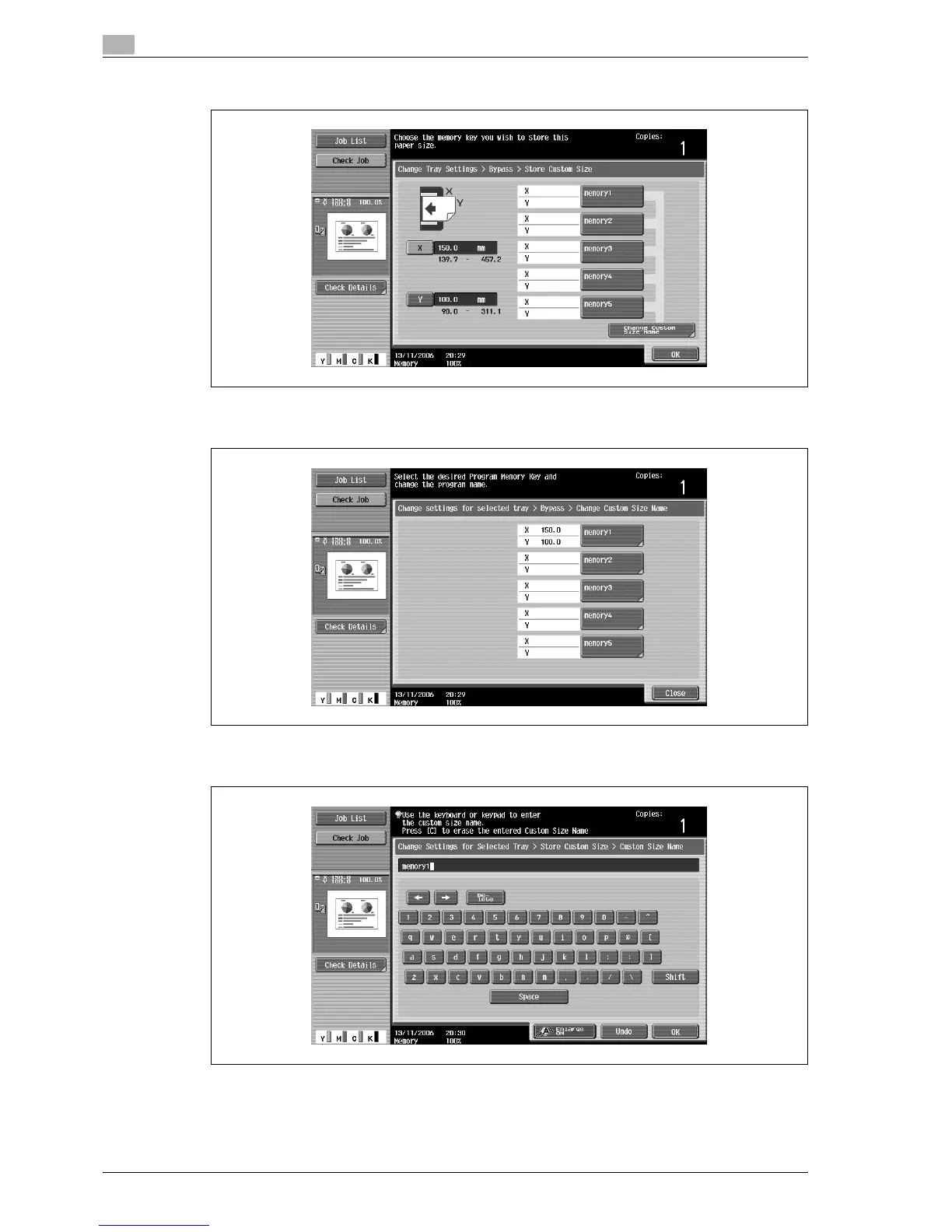
6 Touch the memory button where the paper size is to be stored.
– To change the name of a memory key, touch [Change Custom Size Name], and then touch the key
to be renamed.
Using the keyboard that appears, type in the name of the key, touch [OK], and then touch [Close]. For
details on typing in text, refer to "Entering text" on page 13-3.
7 Touch [OK], and then touch [OK] in the next three screens that appear.
The Basic screen appears again.



 To Next Page