8
Application functions
8-86 CS193/CS173/CS163
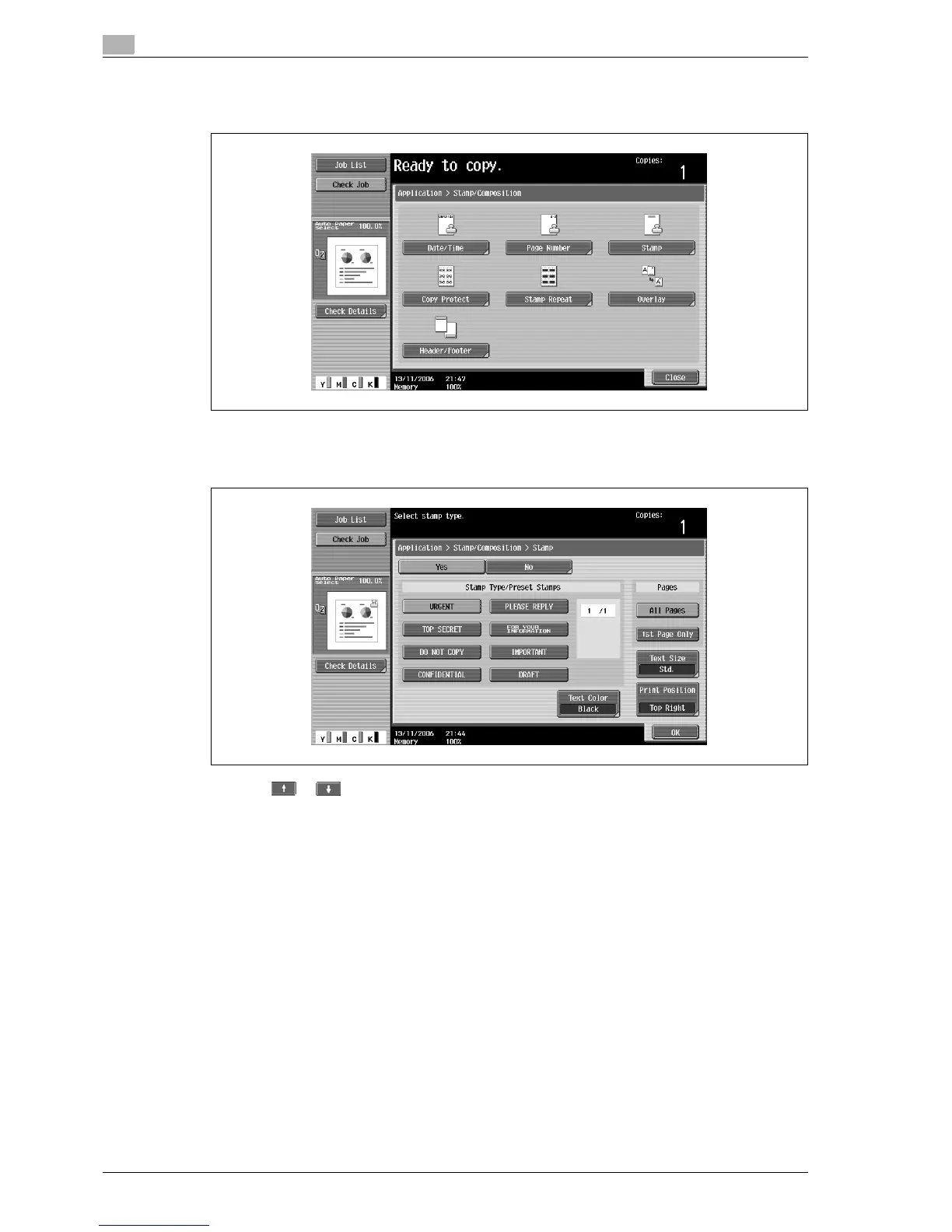
3 Touch [Stamp].
– To cancel the "Stamp" function, touch [No].
The Stamp screen appears.
4 Select the desired stamp under "Stamp Type/Preset Stamps" or "Stamp Type/ Registered Stamps".
– Touch or to display a different list of preset or registered stamps.
– Only one stamp can be selected.
5 Select the desired setting under "Pages".
– To print the stamp only on the front cover, touch [1st Page Only].
– The stamp will not be printed on blank pages inserted using the "Cover Sheet", "Insert Sheet" and
"Chapters" functions.



 To Next Page