8
Application functions
8-88 CS193/CS173/CS163
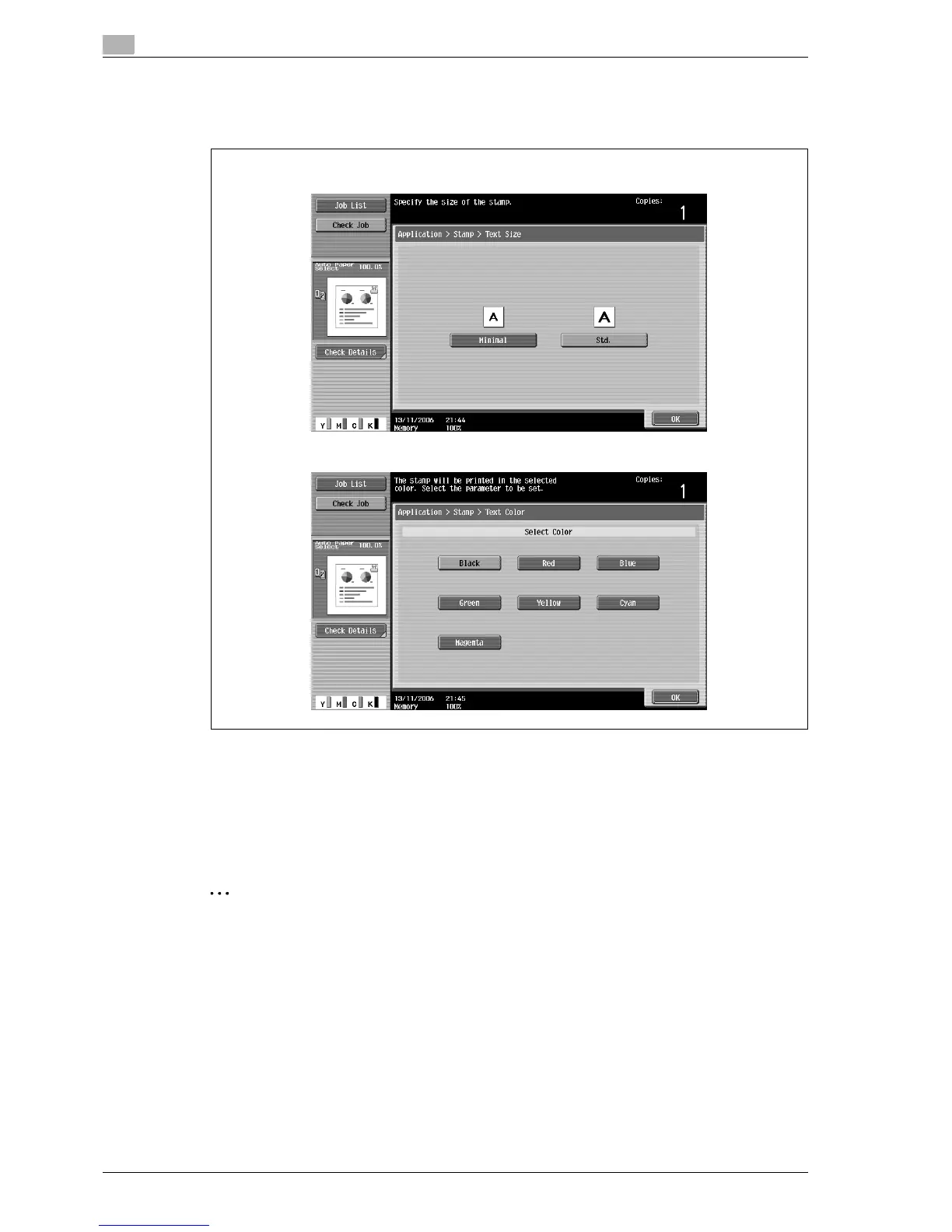
7 Select the desired settings for "Text Size" and "Text Color".
– As the factory default, the following settings are selected.
Text Size: Std.; Text Color: Black
8 Touch [OK], and then touch [Close] in the next screen that appears.
9 Specify any other desired copy settings.
10 Using the keypad, type in the desired number of copies.
11 Press the [Start] key.
2
Note
Pages printed with the "Single Color" setting and different settings for the print color and stamp color
are included in the 2 Color count of the Meter Count.
If "Color" is set to "2 Color", copies where the second color is different from the stamp text color are
included in the Full Color count of the Meter Count.
Text Size screen
Text Color screen



 To Next Page