8
Application functions
8-104 CS193/CS173/CS163
1 Position the original for the overlay.
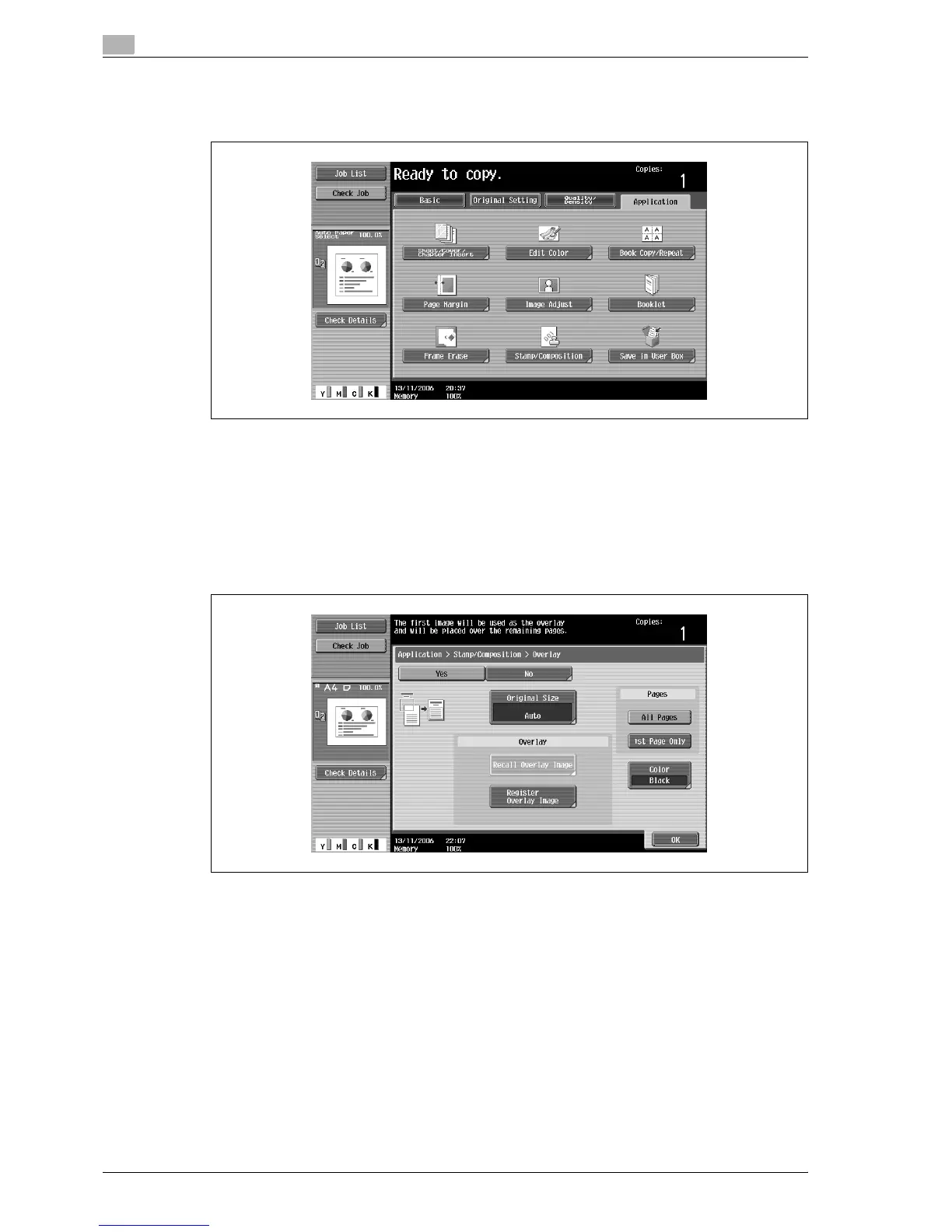
2 Touch [Application], and then touch [Stamp/Composition].
The Stamp/Composition screen appears.
3 Touch [Overlay].
– To cancel the "Overlay" function, touch [No].
The Overlay screen appears.
4 Select the desired settings for "Pages" and [Color].
– To print the overlay image only on the first copied page, touch [1st Page Only] under "Pages".



 To Next Page