8
Application functions
8-112 CS193/CS173/CS163
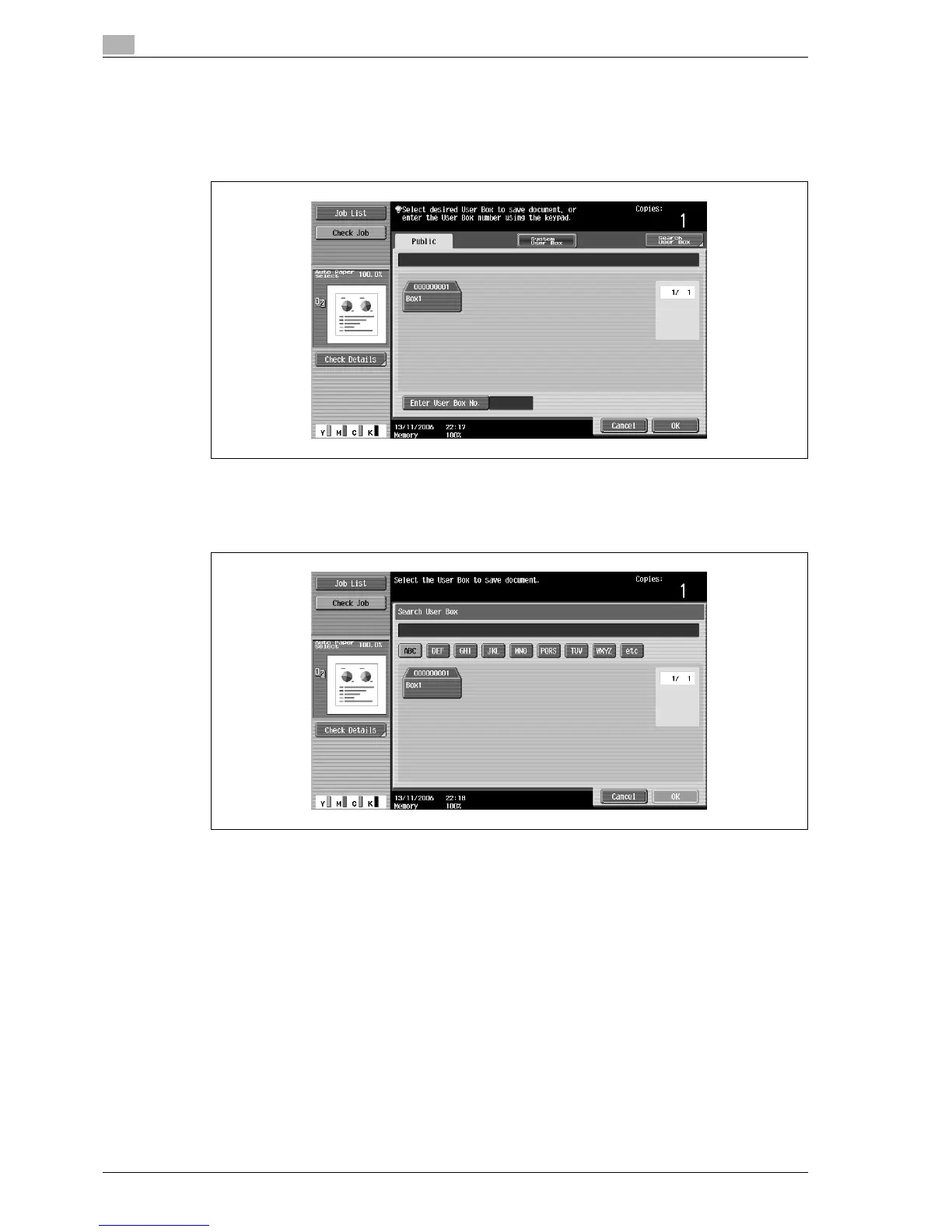
4 Select the user box where the data is to be saved.
– Touch the tab containing the desired user box, and then button for the user box.
– To type in a user box number to specify the user box, touch [Enter User Box No.].
– It is not necessary to enter the password when saving data, even if a password has been specified
for the box.
– Touching [Search User Box] displays the Search User Box screen.
User boxes can be searched for by the first letter of their name. Touch [etc] or the button that
includes the first letter of the user box name to display a list of user boxes starting with the selected
letter. A user box can be selected from this screen.
5 Touch [OK].



 To Next Page