9
Replacing toner cartridges and staple cartridges and emptying punch scrap box
9-6 CS193/CS173/CS163
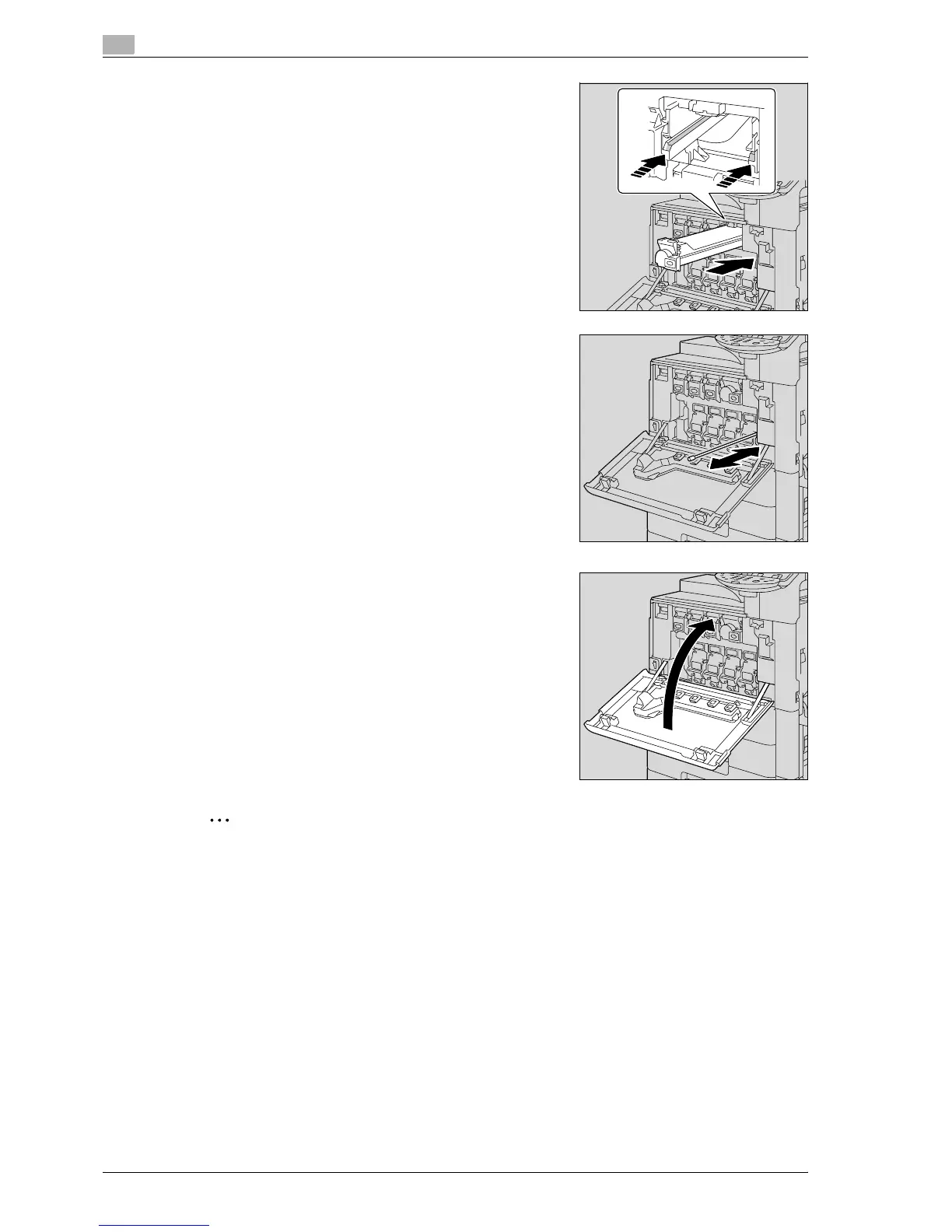
5 Align the toner cartridge with the slots in the machine, and
then insert the cartridge until the locking tab locks into place.
– When inserting the new toner cartridge, fully insert it until it
snaps into place.
6 Slowly pull out the charger-cleaning tool as far as possible.
Next, slowly push in the charger-cleaning tool as far as
possible.
Repeat the above operations three times.
7 Close the front door.
2
Reminder
When replacing the black toner cartridge, always clean the electrostatic charger wire.



 To Next Page