CS193/CS173/CS163 9-21
Replacing toner cartridges and staple cartridges and emptying punch scrap box
9
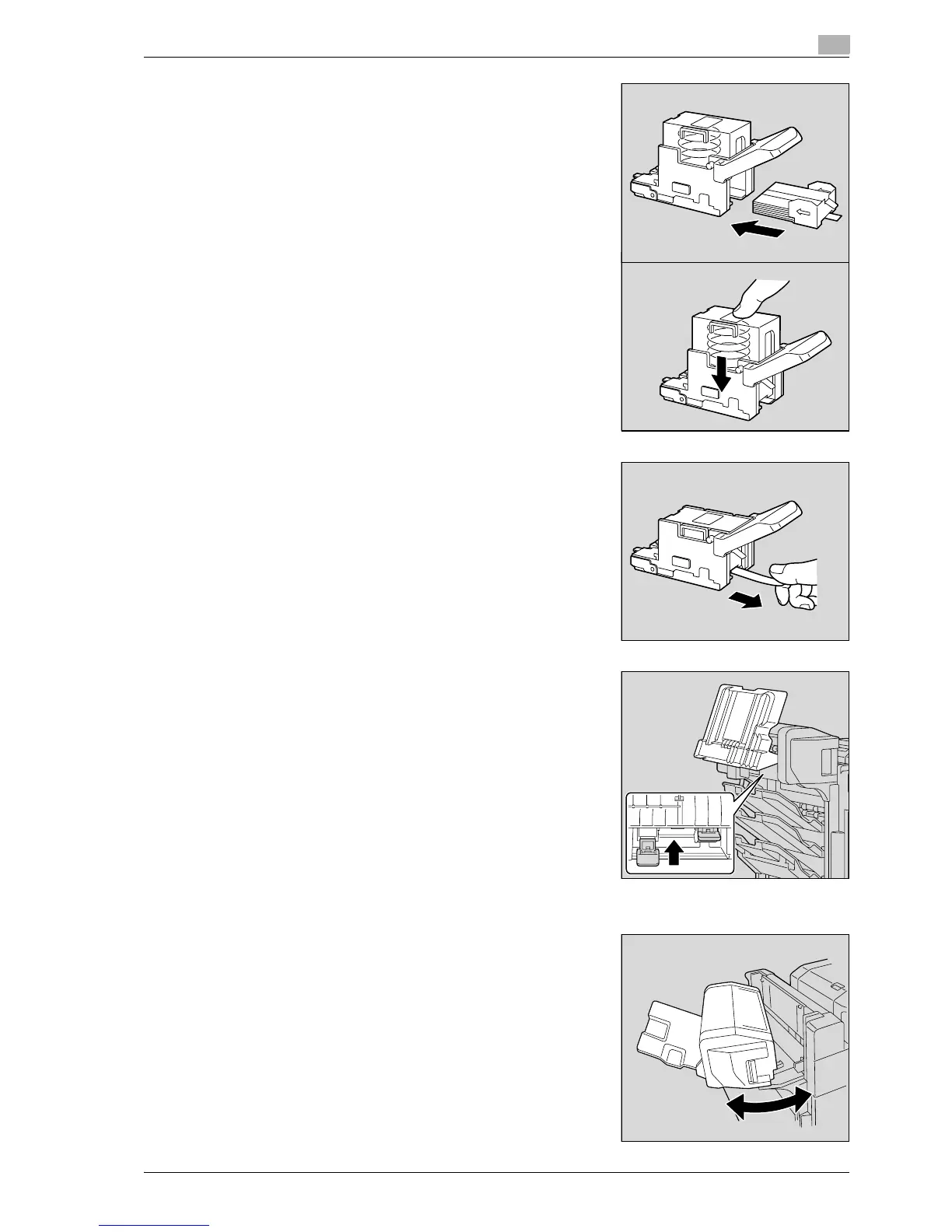
4 Load the new staple cartridge into the staple cartridge holder.
5 Slowly pull off the seal.
6 Insert the staple cartridge holder, and then push it up until it
locks into place.
– When inserting the staple cartridge holder, be sure to
insert it so that it faces the correct direction.
7 Return the copy output tray to its original position.
8 Pull the handle of the misfeed-clearing door to open it, and
then close it.



 To Next Page