12
Utility mode
12-48 CS193/CS173/CS163
2 Touch [1 System Settings].
The System Settings screen appears.
3 Touch [7 Expert Adjustment].
The Expert Adjustment screen appears.
4 Touch [3 Finisher Adjustment].
The Finisher Adjustment screen appears.
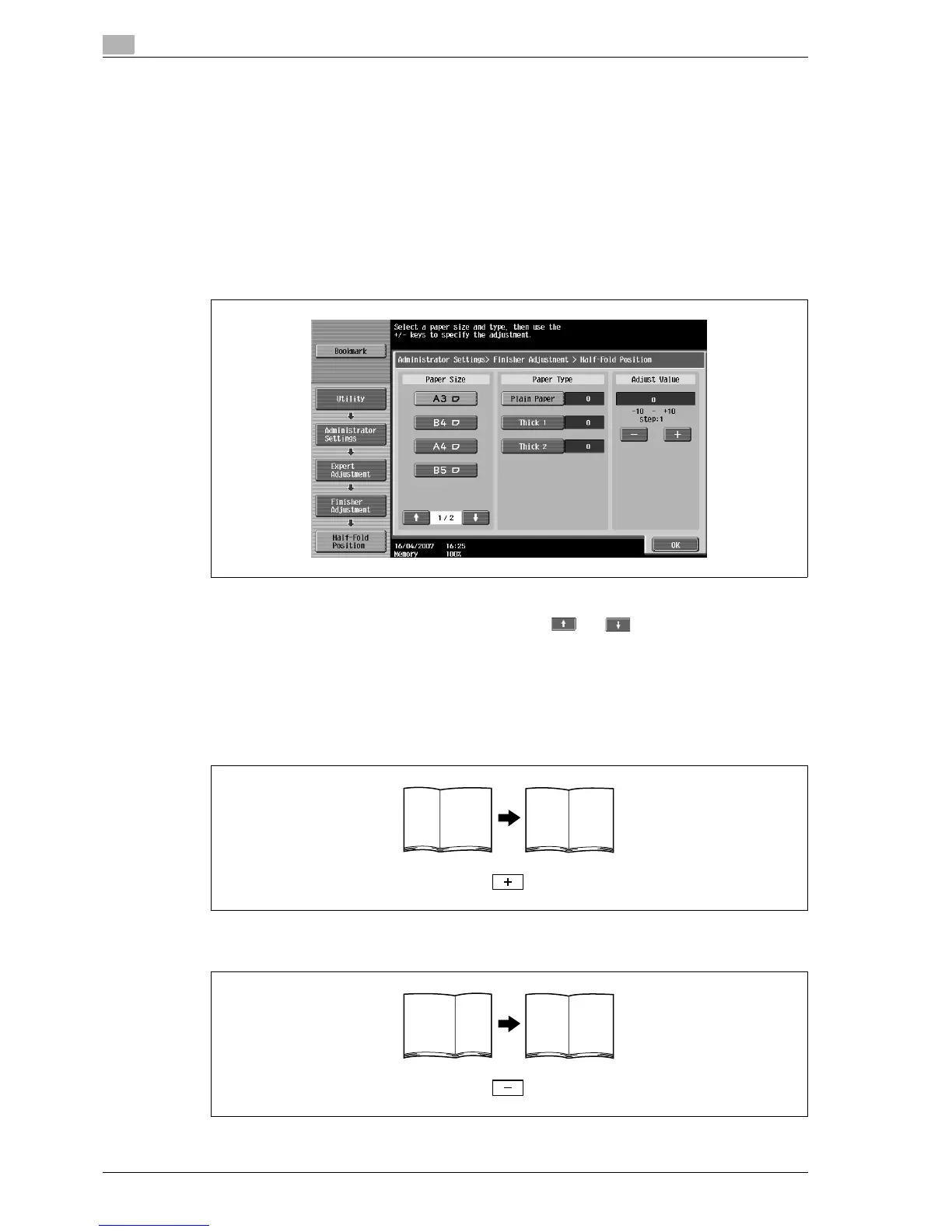
5 Touch [2 Half-Fold Position].
The Half-Fold Position screen appears.
6 Touch the button for the paper size to be adjusted.
– If the paper size to be adjusted is not displayed, touch and until the desired paper size is
displayed.
7 Compare the width of the left pages of the copy sample with the width of the right pages to check for
the center of the paper.
– If the folding position is too far to the left of the center of the paper, touch [+] to increase the
adjustment (between 1 and 10).
– Each time [+] or [-] is touched, the value is increased or decreased by one increment.
– If the folding position is too far to the right of the center of the paper, touch [-] to reduce the
adjustment (between -1 and -10).



 To Next Page