2
Before making copies
2-50 CS193/CS173/CS163
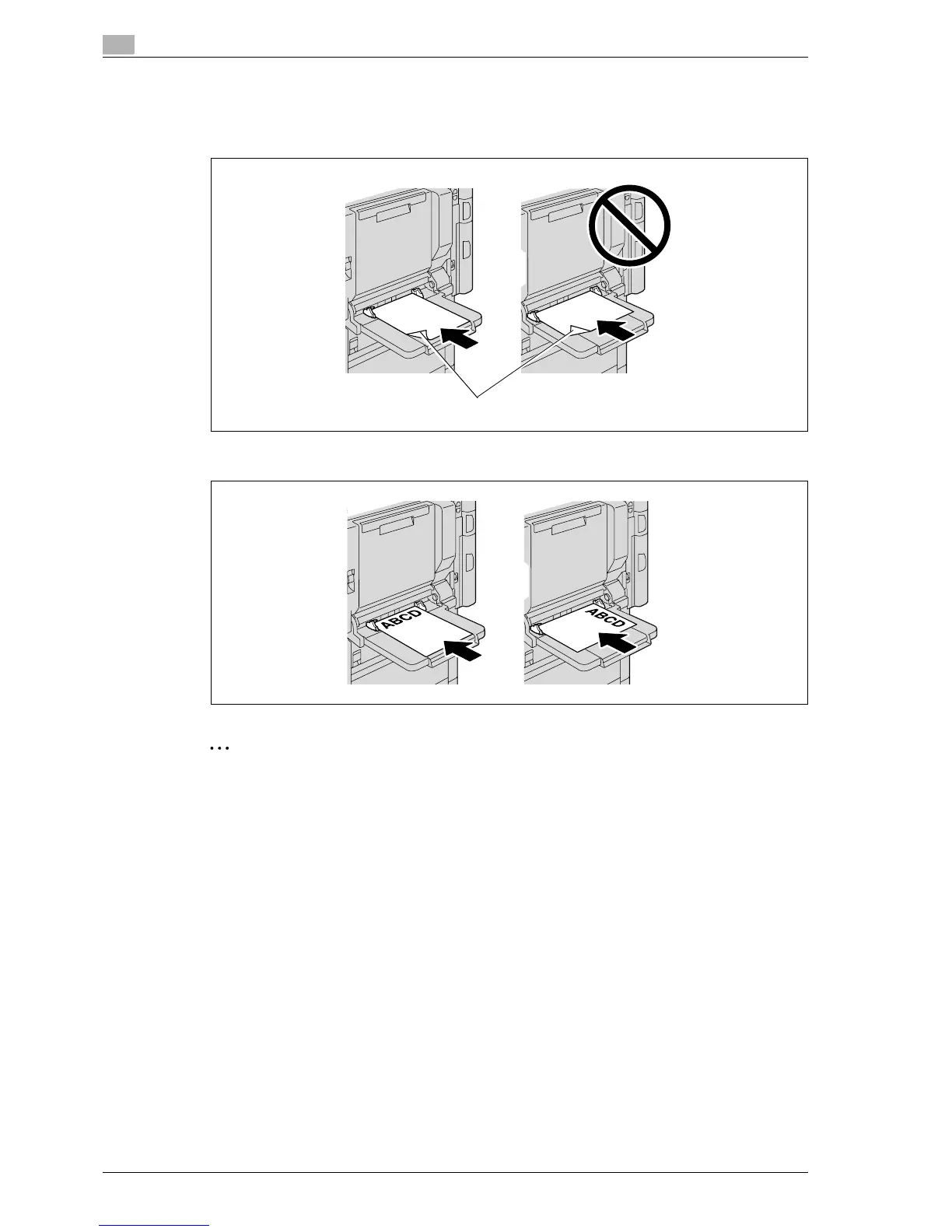
When loading label sheets, load them in the w orientation, as shown in the illustration. Do not load label
sheets in the v orientation.
A maximum of 20 label sheets can be loaded into the bypass tray.
Be sure to load letterhead paper so that the side to be printed on faces up.
2
Note
The image will be printed on the surface of the paper facing down when the paper is loaded into the
bypass tray.
!
Detail
For details on specifying the paper size for the bypass tray, refer to "Selecting a paper size setting (Size
Setting)" on page 7-8.
For details on the paper sizes, refer to "Copy paper" on page 7-3.
Side to be printed on



 To Next Page