3
Basic copy operations
3-4 CS193/CS173/CS163
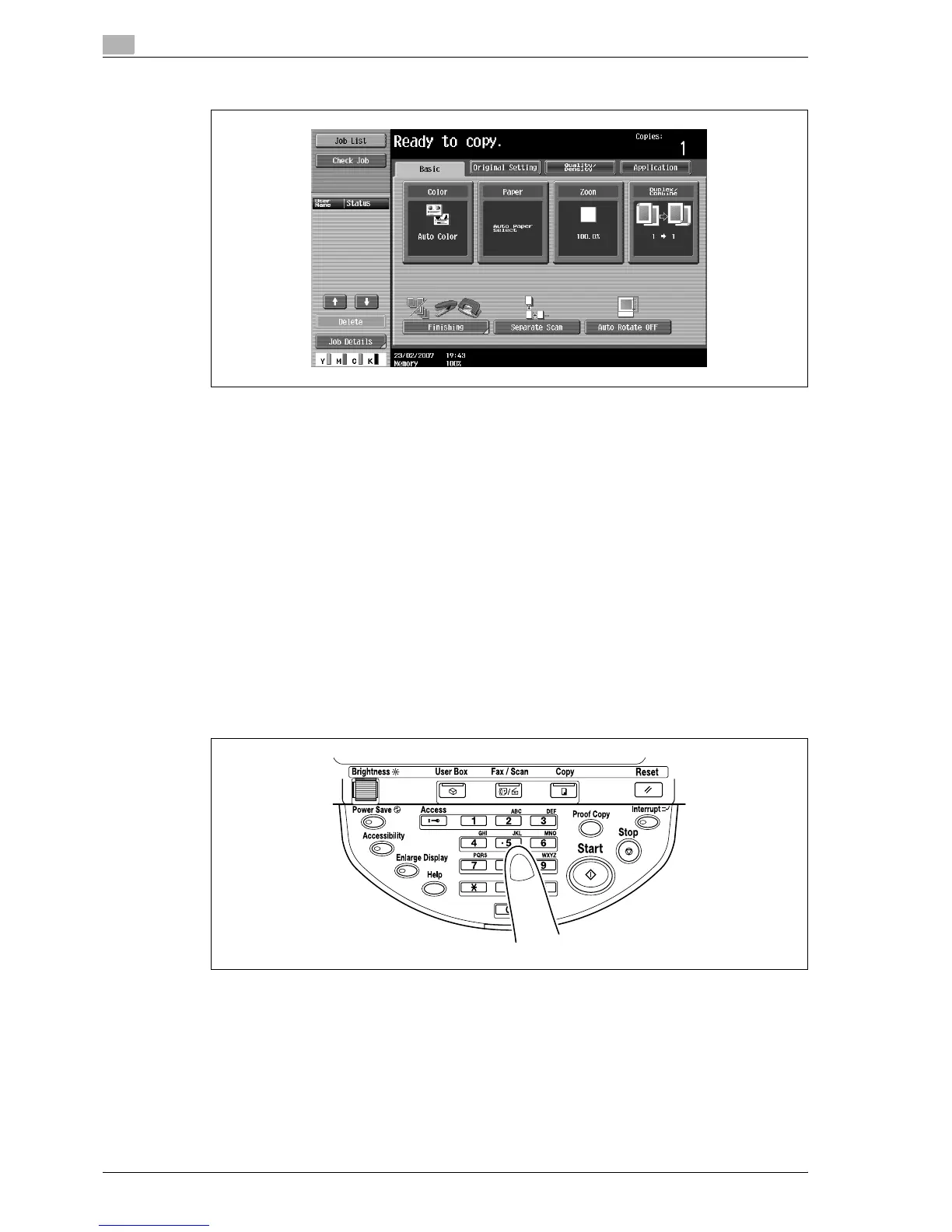
3 Specify the desired copy settings.
– The factory default settings for this machine are listed below.
[Color]: Auto Color
[Paper]: Auto Paper Select
[Zoom]: Full Size (100.0%)
[Duplex/Combine]: 1 > 1
[Quality/Density]: Text/Photo (Printed Photo)
– For details on selecting settings in the Original Setting screen, refer to page 3-19.
– For details on selecting a Color setting, refer to page 3-34.
– For details on selecting a Paper setting, refer to page 3-37.
– For details on specifying a Zoom setting, refer to page 3-40.
– For details on selecting the original and copy settings, refer to page 3-50.
– For details on selecting the original image quality, refer to page 3-58.
– For details on selecting a copy density setting, refer to page 3-61.
– For details on specifying combined copy settings, refer to page 3-55.
– For details on selecting Finishing settings, refer to page 3-67.
– For details on selecting the Fold/Bind settings, refer to page 3-77.
– For details on specifying settings to not rotate the image, refer to page 3-81.
– For details on specifying settings for the Application functions, refer to page 8-3.
4 Using the keypad, type in the desired number of copies.
– If the number of copies was incorrectly entered, press the [C] (clear) key in the keypad, and then
specify the correct number of copies.



 To Next Page