3
Basic copy operations
3-22 CS193/CS173/CS163
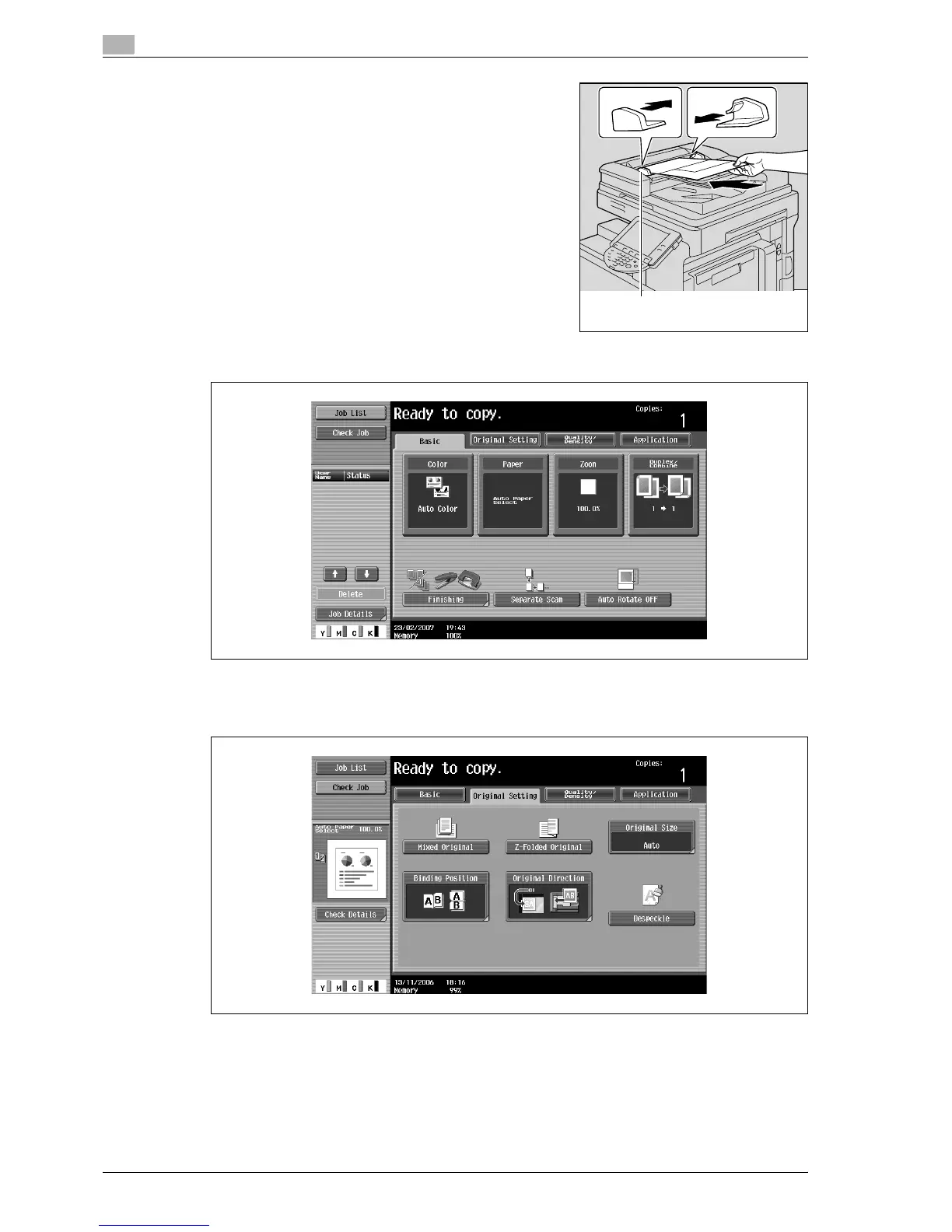
3 Place the original in the original feed tray in the order to be
scanned with the side to be scanned faces up.
Slide the adjustable lateral guides against the edges of the
original.
– Load the original pages into the ADF so that the top of the
pages is toward the back or the left side of the machine.
4 In the Basic screen, touch [Original Setting].
The Original Setting screen appears.
5 Touch [Mixed Original].
– To cancel the "Mixed Original" setting, touch [Mixed Original] again to deselect it.
Lateral guide



 To Next Page