To use the frequency setting source combination function, take the following
steps:
Step 1: Be sure that [E1.00] ≠ '30: Second frequency setting source activation'
to deactivate the frequency setting source switching function
Step 2: Set parameter E0.00 and E0.02 to select the first and second frequency
setting sources
Step 3: Set parameter [E0.04] = 1 or 2 according to the actual application
The result of the combination is always limited within the range of
0.00…[E0.09] Hz.
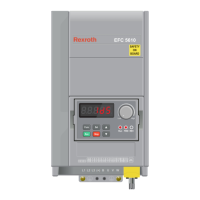
Adjust the setting frequency by panel potentiometer
By default, the first frequency setting source is from the potentiometer on the
operating panel. To adjust the output frequency, follow the instructions below:
● Rotate the potentiometer counterclockwise (leftwards)
The output frequency decreases, and the motor decelerates.
● Rotate the potentiometer clockwise (rightwards)
The output frequency increases, and the motor accelerates.
Adjust the setting frequency by panel button
The setting frequency of the first and second frequency setting sources can be
adjusted by pressing the <▲> / <▼> button on the operating panel.
Code
Name Setting range Default Min. Attri.
E0.00 First frequency setting source
1: Panel button setting
0 – Stop
E0.02 Second frequency setting source 2 – Stop
E0.07 Digital setting frequency 0.00...[E0.09] Hz 50.00 0.01 Run
Bosch Rexroth AG
Functions and Parameters
EFC x610 Series
132/389
DOK-RCON03-EFC-X610***-IT05-EN-P



 To Next Page
 Loading...