Operation
R-Concept
6.3 R-Concept
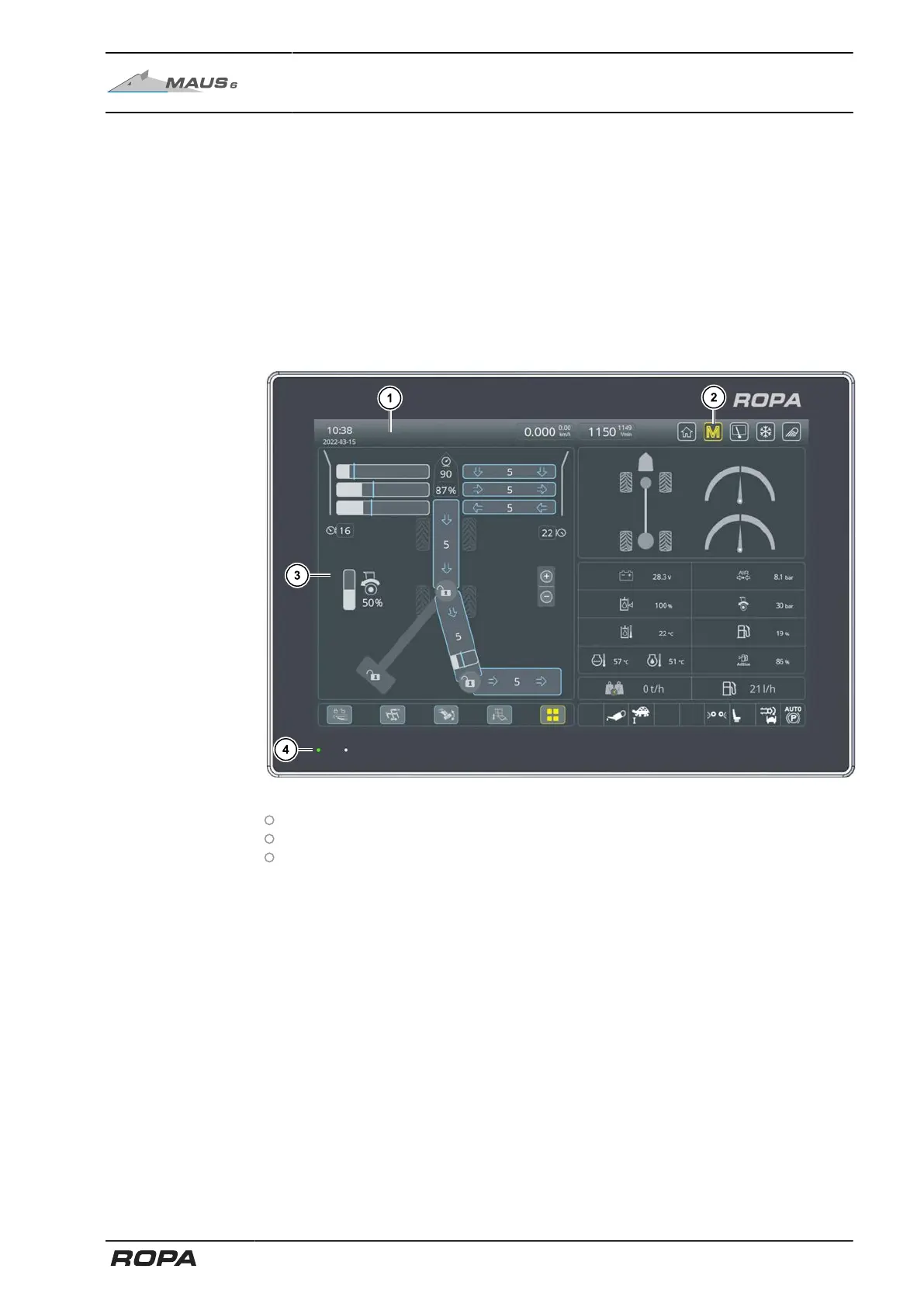
Both R-Touch colour terminals are the information and command centre of the
machine. From here, you can monitor the entire machine, see operating modes, per-
formance data, images from the video cameras and adjust parts of the machine.
Before you start, make sure that you have become familiar with both R-Touch colour
terminals and the various warning and status displays so that you can use the
machine safely and effectively.
6.3.1 R-Touch main terminal
The machine is operated with 3 essential elements:
The R-Touch main terminal, a user-friendly touch screen (1).
The R-Direct, a push/rotating wheel (yellow) for operating in the menus (2).
The R-Select, a push/rotating wheel (blue) for operating the machine settings on
the left half of the screen (3).
In all menus you move by turning and pressing the rotary wheel, left and right, verti-
cally and horizontally through the menu. It is indicated by a yellow cursor. In menus R-
Direct or R-Select this cursor shows your current position in the function selection, in
addition, the selected field is highlighted.
Lightly pressing the middle of the rotary wheel (enter function) confirms the current
position of the cursor. In this manual we do not dwell on the touch operating, as it is
similar to the rotating/pushing. This does not include functions that can only be per-
formed by touching.
The R-Touch colour terminal is not switched off as long as the status LED (4) remains
green while the ignition is switched off.
109 / 546



 To Next Page