Operation
R-Concept
6.3.3 Readjusting warning thresholds
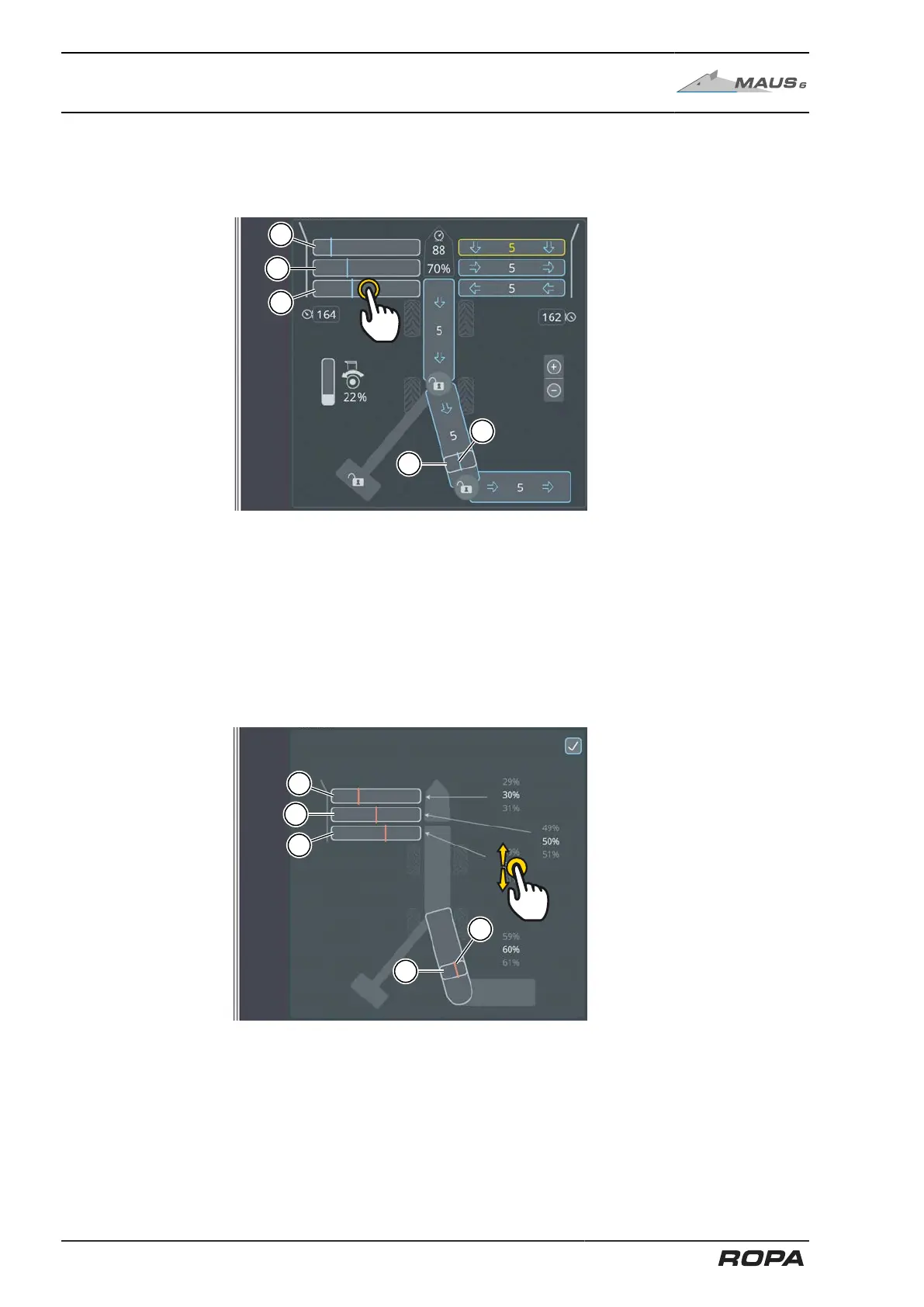
The warning thresholds for the drives of pickup rollers, conveyor rollers, 4-part pinch
rollers and recleaning can be adjusted on the R-Touch.
(1) Load on drive of pickup rollers
(2) Load on drive of conveyor rollers
(3) Load on drive of 4-part pinch rollers
(4) Load on drive of recleaner
(5) set warning threshold for the respective drive (blue line)
Press one of the load indicators (1-4) to open the menu in which you can adjust the
warning thresholds for these drive. Tap the % indicator on the screen and swipe up or
down to adjust the respective warning threshold. Press the check mark in the top right
corner to exit the menu or the function area.
144 / 546



 To Next Page