Operation
Operating modes "Turtle" and "Rabbit"
6.8.2 Operating mode change
– To switch the operating mode completely release the drive pedal and stop the vehi-
cle.
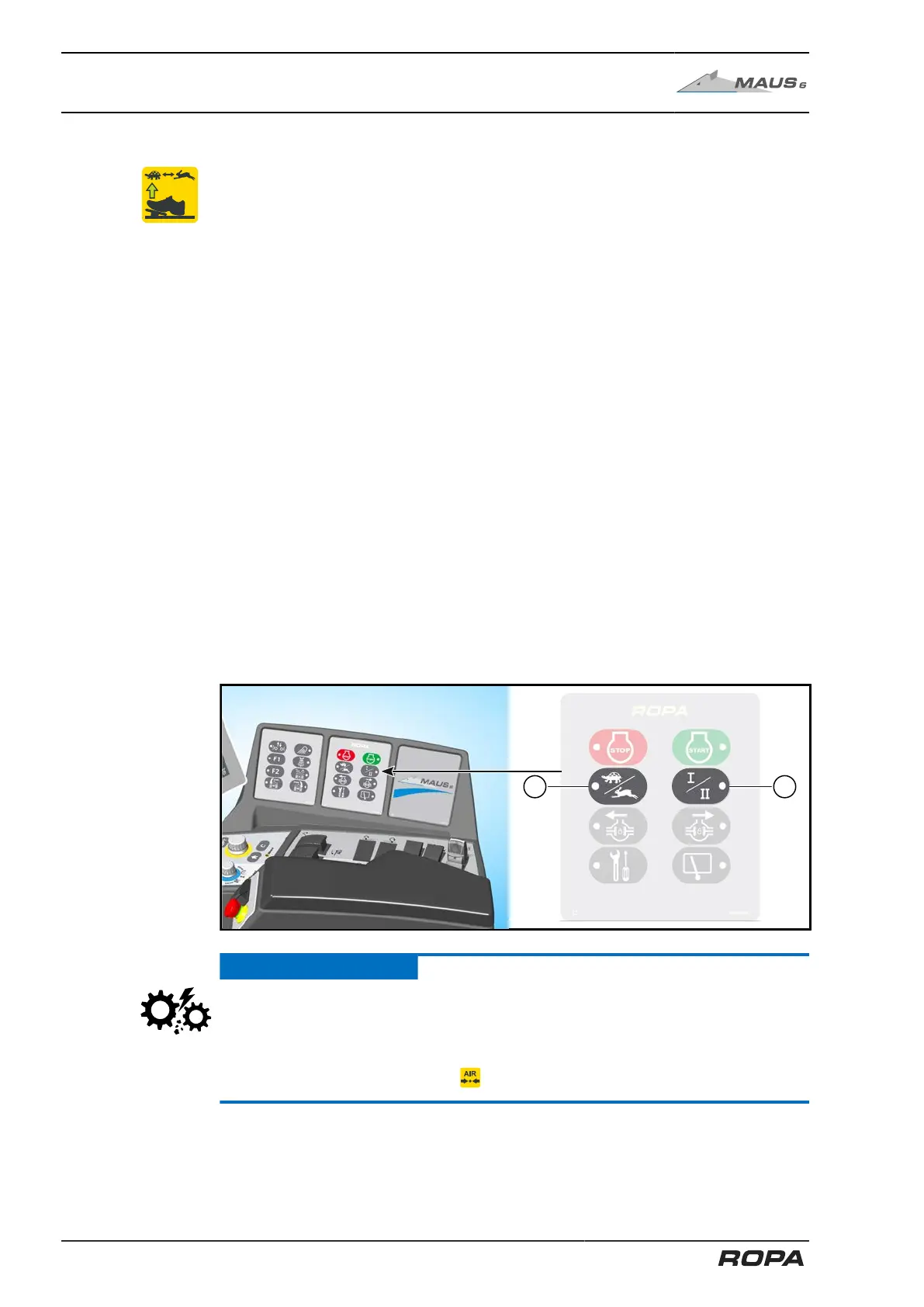
– Select the desired operating mode using keys (20) and (21) on keypad II.
In "Turtle" operating mode the ladder swings out and the warning signs on the pile
pickup swing up.
Driving speeds:
Operating mode "Turtle I" 0-0.7 km/h
Operating mode "Rabbit I" 0-10 km/h
Operating mode "Rabbit II" 0-40 km/h (or 32 km/h, 30 km/h, 25 km/h)
Switching process:
– To switch the operating mode completely release the drive pedal and stop the vehi-
cle.
– Select the desired combination of operating mode and gear using the keys (20) and
(21) on keypad II:
Use key (20) to select operating mode "Turtle"/"Rabbit"
And key (21) to select gear I/II.
– When switching to another operating mode, a sound may be heard ("clack"). Once
the operating mode is switched on correctly, the corresponding symbol appears on
the R-Touch.
– If after switching on the operating mode, the symbol flashes on the R-Touch, the
gear is not engaged. Should this happen, press again the key (20) or (21) to switch
to the requested operating mode.
ATTENTION
Hazard of heavy damage to the gearbox.
The keys for switching between the operating modes may ONLY be used when the
machine is at standstill (0.0 km/h). If you do not follow this advice, the gearbox may
be destroyed. Additionally, sufficient pressure must be present in the compressed air
system. This is the case if the icon disappears from the R-Touch.
186 / 546



 To Next Page