Operation
Scales (option)
6.16.2.4 Amount limit scales
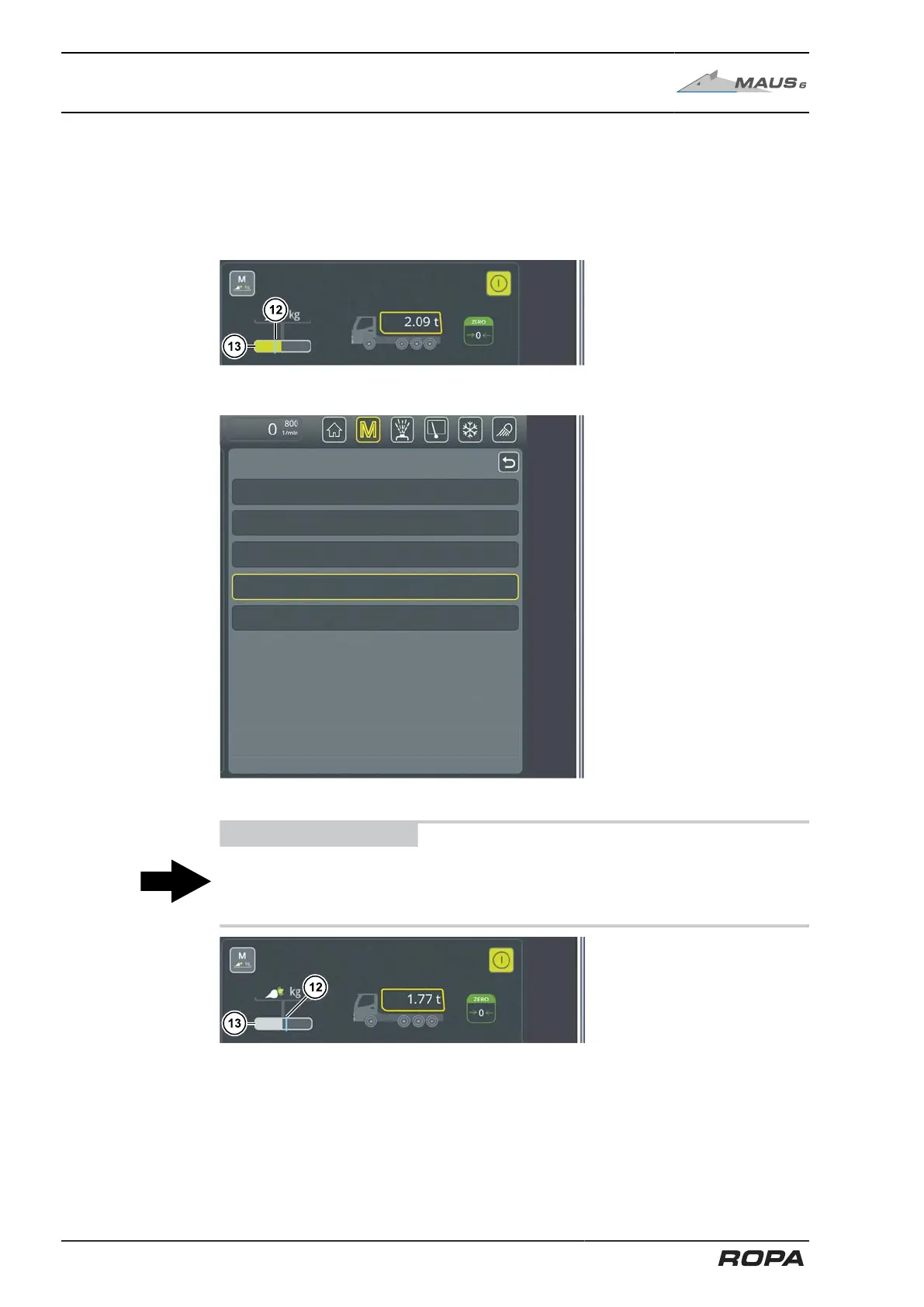
The indicator status bar (13) displays the load on the weighing cells. The amount limit
(12) (= blue mark) is the minimum load on the weighing section above which the vol-
ume on the conveyor is detected and the weight is added up. The volume on the con-
veyor is displayed in the bargraph (13), coloured green.
Amount limit scales too high, scales add weight
This amount limit can be changed in the "Amount limit scales" menu.
ADVICE
The default factory setting gives a good weighing result under normal conditions.
However, it is important to adjust the amount limit to the current conditions in order to
achieve a good weighing result.
Amount limit scales too low, weighing stopped
If the grey bar graph is on the left of the amount limit, the scales do not add any weight
to the weighed quantity.
302 / 546



 To Next Page