Operation
Driving
6.9.2 Driving, "Turtle" operating mode
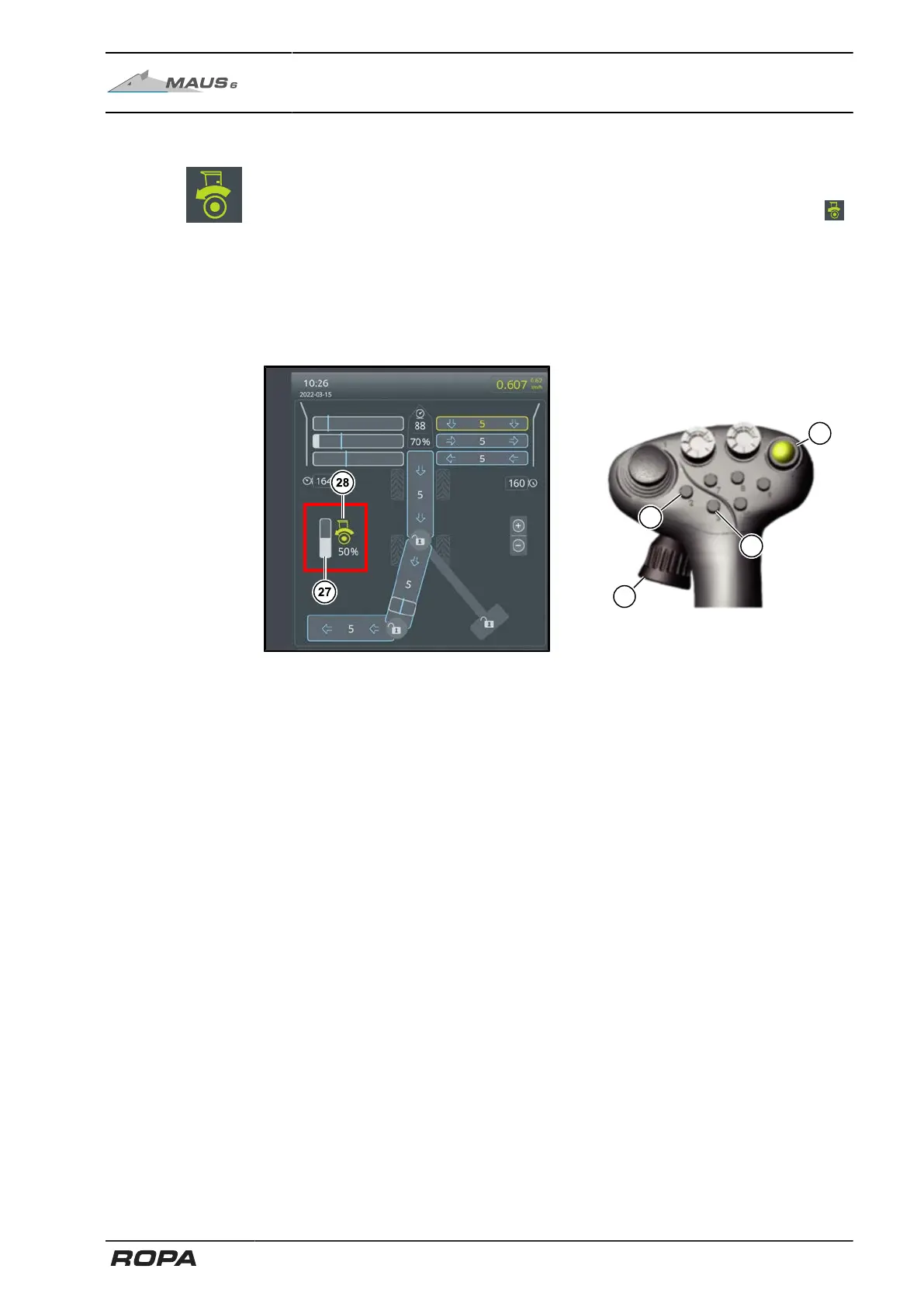
In the "Turtle" operating mode, the traction drive is operated almost exclusively using
the keys (2) and (3) and the rotary wheel (14) on the right joystick.
If driving forward is activated using the key (2), then the terminal displays the icon .
This key is used to switch on the traction drive forwards. Pressing this key again stops
the traction drive.
Switching off machine drive (yellow machine drive key (6)) also switches off the trac-
tion drive.
The driving speed (= feed speed) for loading operation can be controlled via the rotary
wheel (14) on the right joystick.
(27) Set driving speed
(28) Status of traction drive (only during loading)
The speed set may be overridden up to maximum speed using the driving pedal. This
function enables quicker driving to the beet pile.
195 / 546



 To Next Page