Operation
Loading operation
6.14.6 Beet path
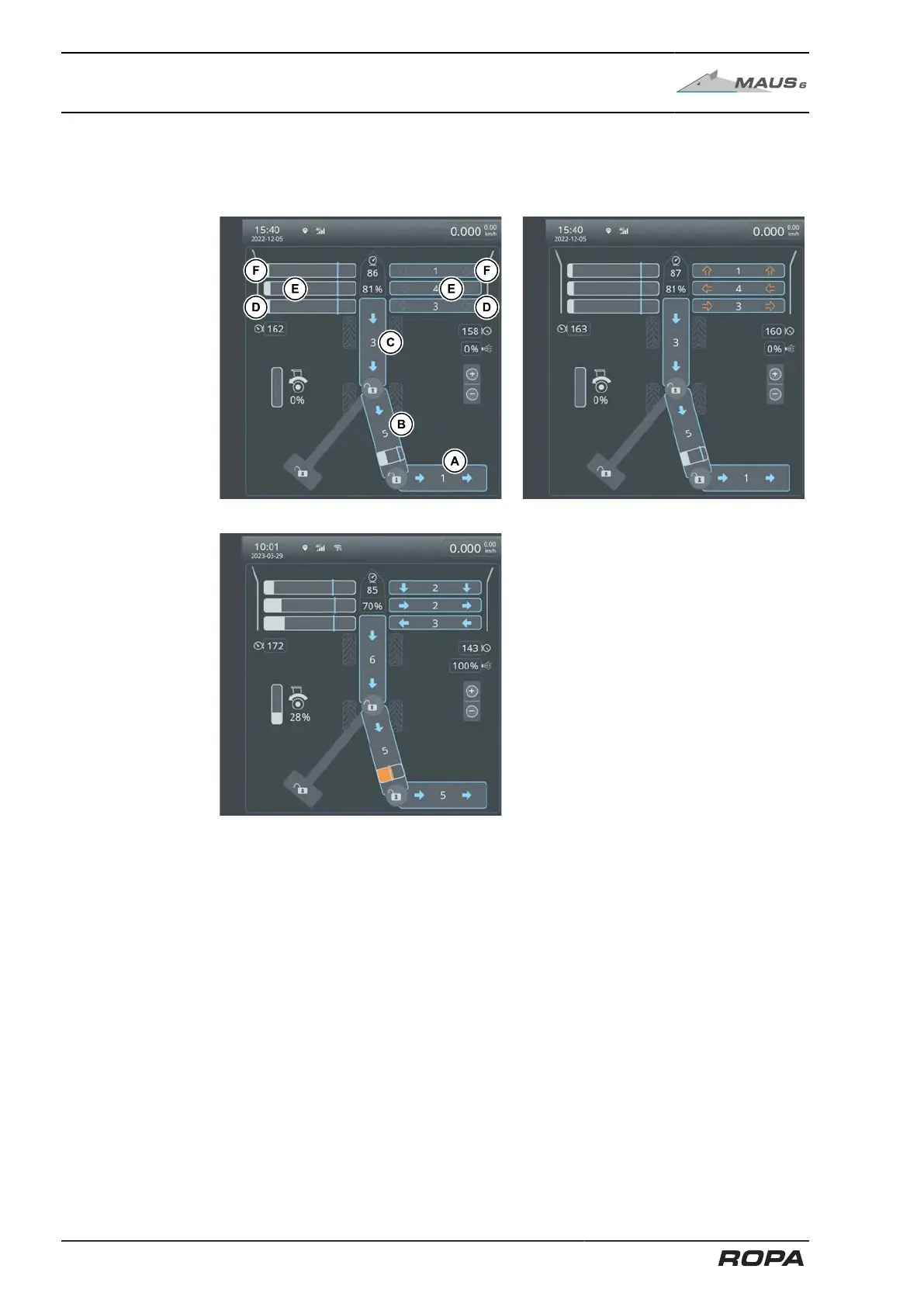
This section of the R-Touch depicts in symbols the flow of beets through the machine.
This clearly presents all important operational parameters to you.
The following general meaning is allocated to the individual colours and icons:
grey arrows = component is switched off
blue arrows = component is moving in the working direction
orange arrows = component is reversed; it is moving against the
working direction
orange area = blockage pressure
Set the speed of the complete beet flow as optimally as possible. Match the speeds
of the pickup rollers to the 4-part pinch rollers. Set the rotational speeds of the pickup
rollers and 4-part pinch rollers to such a high speed that the beets picked up are
moved to the infeed conveyor without blockages.
When selecting the rotational speed, consider the degree of soiling of the beets. In
case of very soiled beets and wet ground, you should select a higher speed. This
means that the rollers should be running faster than under "good" conditions.
256 / 546



 To Next Page