Operation
R-Concept
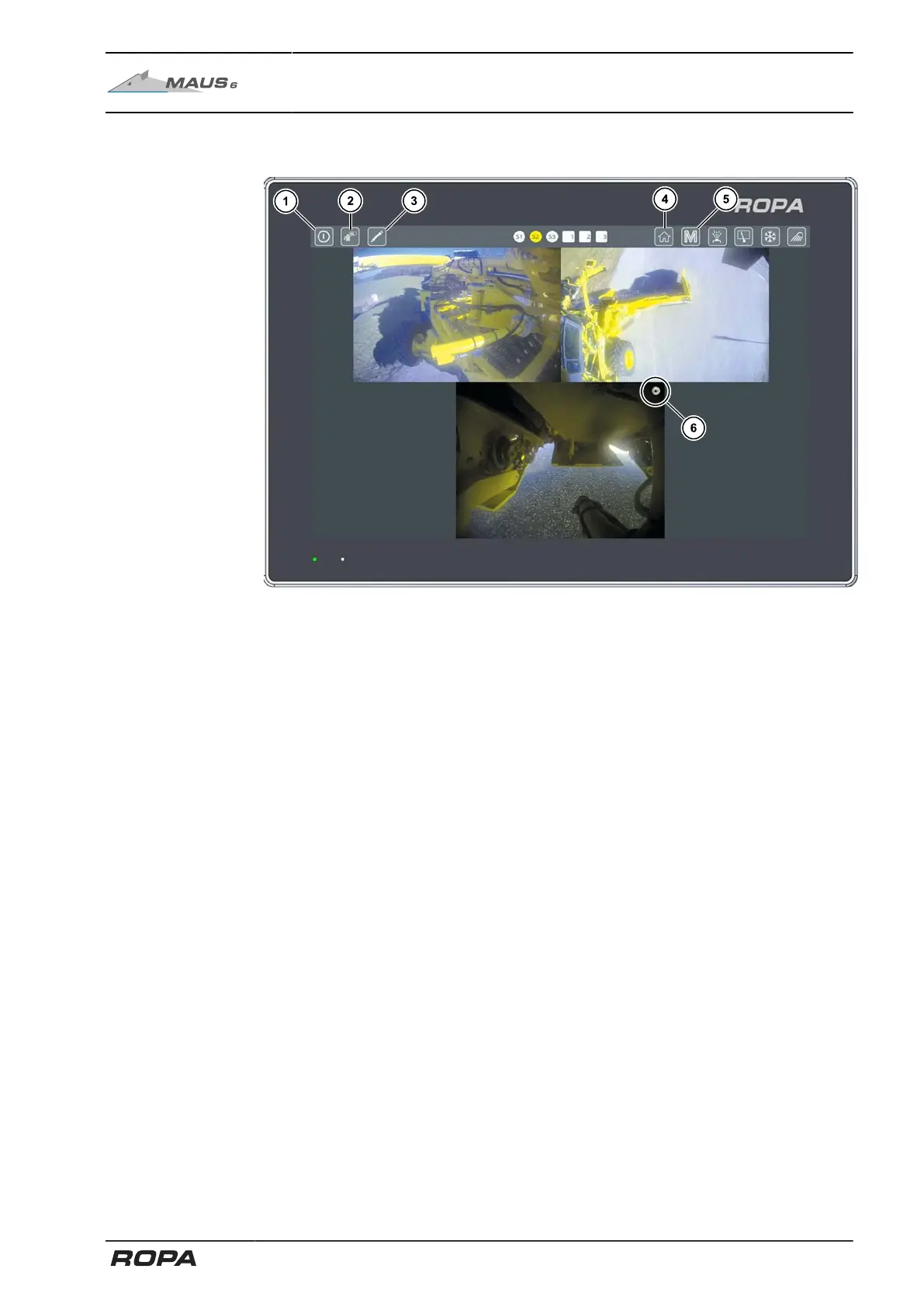
6.3.5.1 Display areas on the R-Touch auxiliary terminal
Quick access bar is shown
(1) Standby mode
(2) Activate cleaning mode (See Page 115)
(3) Configure individual camera 1-3 display
(4) HOME key on auxiliary terminal
(5) Main menu (See Page 116)
(6) Still image monitor
Standby mode
Use this touch field (1) to put the display of the left color terminal in standby mode.
It switches off the screen. This function can be useful, e.g. when driving on roads to
avoid being dazzled. Touch the display at any place to turn it on again.
If the machine is in the road mode and the main steering switch is opened, the screen
is activated immediately if it was previously in a standby mode.
Still image monitor
Each camera's display has a still image monitor (6). If there is no continuous rotating
movement in the icon, the camera image transfer is interrupted.
151 / 546



 To Next Page