Operation
R-Concept
6.3.5.2 Operation of video system
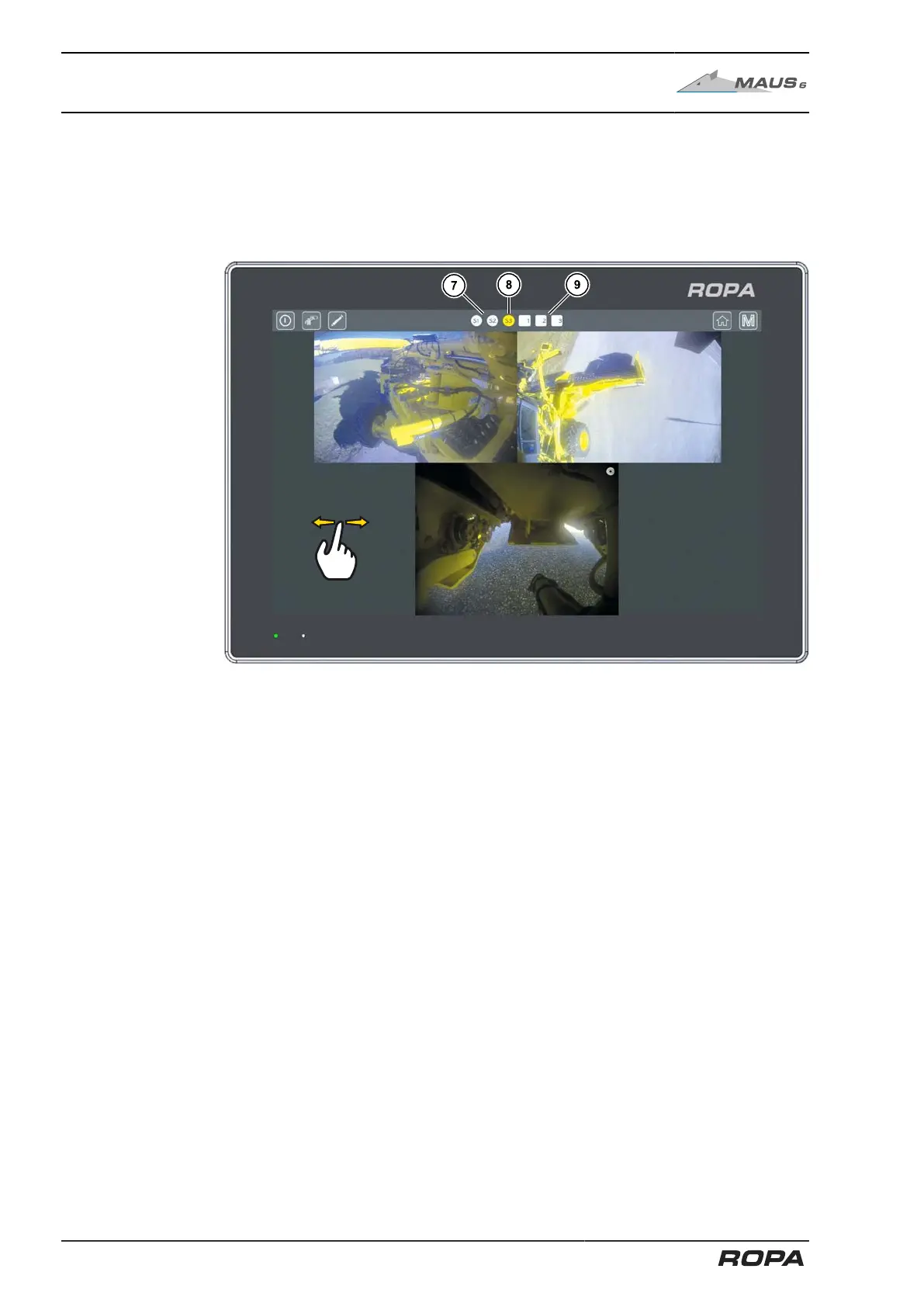
6.3.5.2.1 Switching between the different camera views
To change the camera view, swipe the display panel to the right or left. The available
camera views are displayed in succession.
Quick access bar is shown
(7) Standard camera display S1 - S3
(8) Active camera display
(9) Individual camera 1-3 display (optional)
The Standard camera view S1 - S3 (7) and Individual camera view 1 - 3 (9) touch
fields can be used to directly access one of up to six camera views in the quick access
bar. The active camera view (8) is marked yellow.
If you touch the active camera window, it will be displayed in full size. Touch the
screen again if you want to return to the previous view.
The three default camera views are preset and cannot be changed by the driver.
152 / 546



 To Next Page