Operation
Loading operation
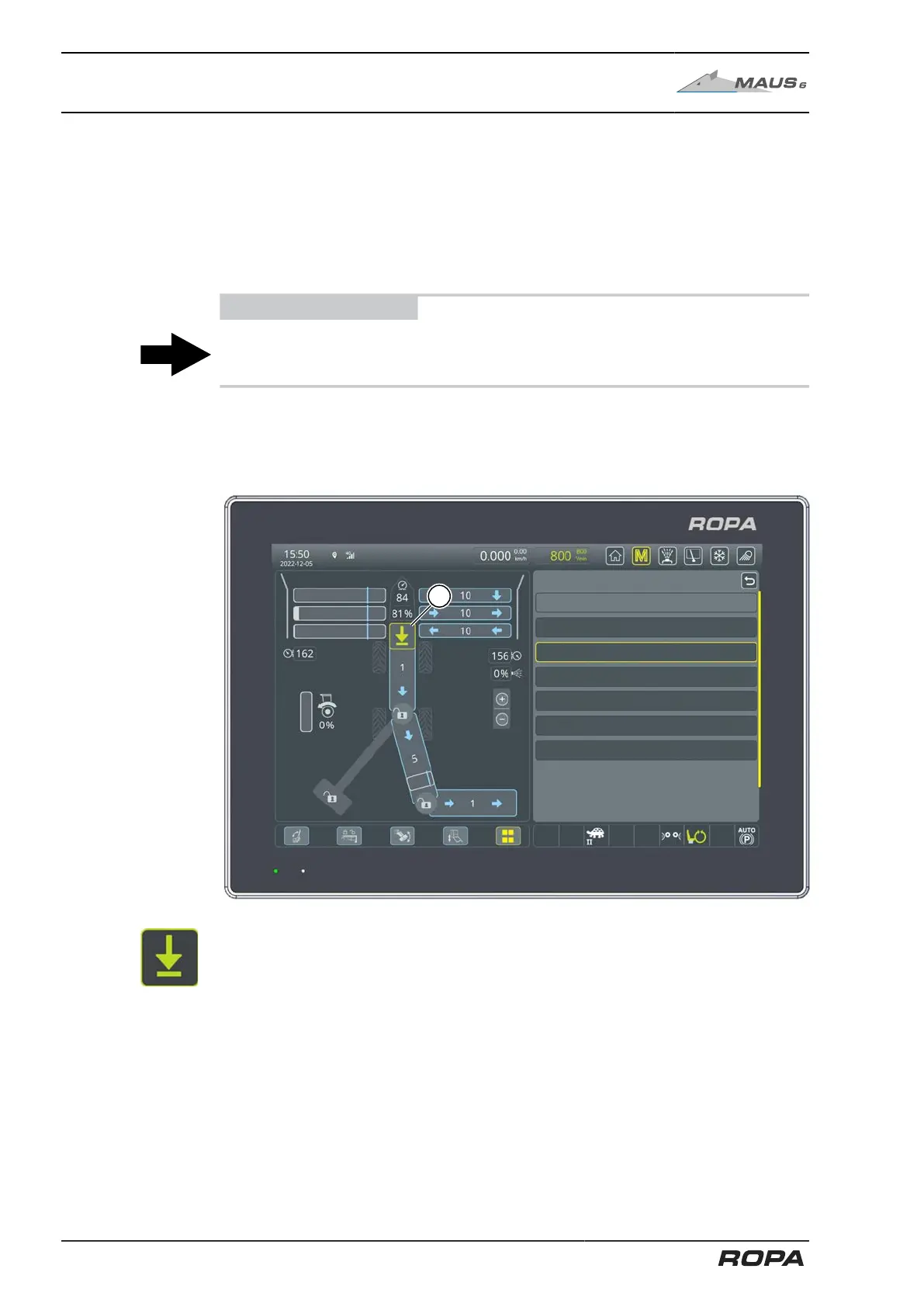
6.14.18 END load mode
For fuel-saving operation, it is recommended to reduce the speed in the entire beet
path at the end of the pile, because at that stage the pile pickup will only be delivering
small quantities of beets onto the pickup. The weighing result is also more accurate if
the truck conveyor reaches a specific minimum fill level. Go to the "Special functions"
menu, then to the "LOAD MODE" line and switch from the "LOAD" (default setting) to
the "END".
ADVICE
Similarly, you can turn on the "END" loading mode via the quick access window (See
Page 114).
This selection sets the speed of all drives to the values previously set last time the
"END" mode was used.
To return to the default setting, go to the "Special functions" menu, then the "LOAD
MODE" row and switch from "END" to "LOAD".
B638 PS fuel pressure fine filter
Feed - automatic activation
Start central lubrication
Diesel engine regeneration
4006 mbar
Off
End
Off
Off
190 sec
(1) Status symbol "END" loading mode
280 / 546



 To Next Page