Operation
R-Concept
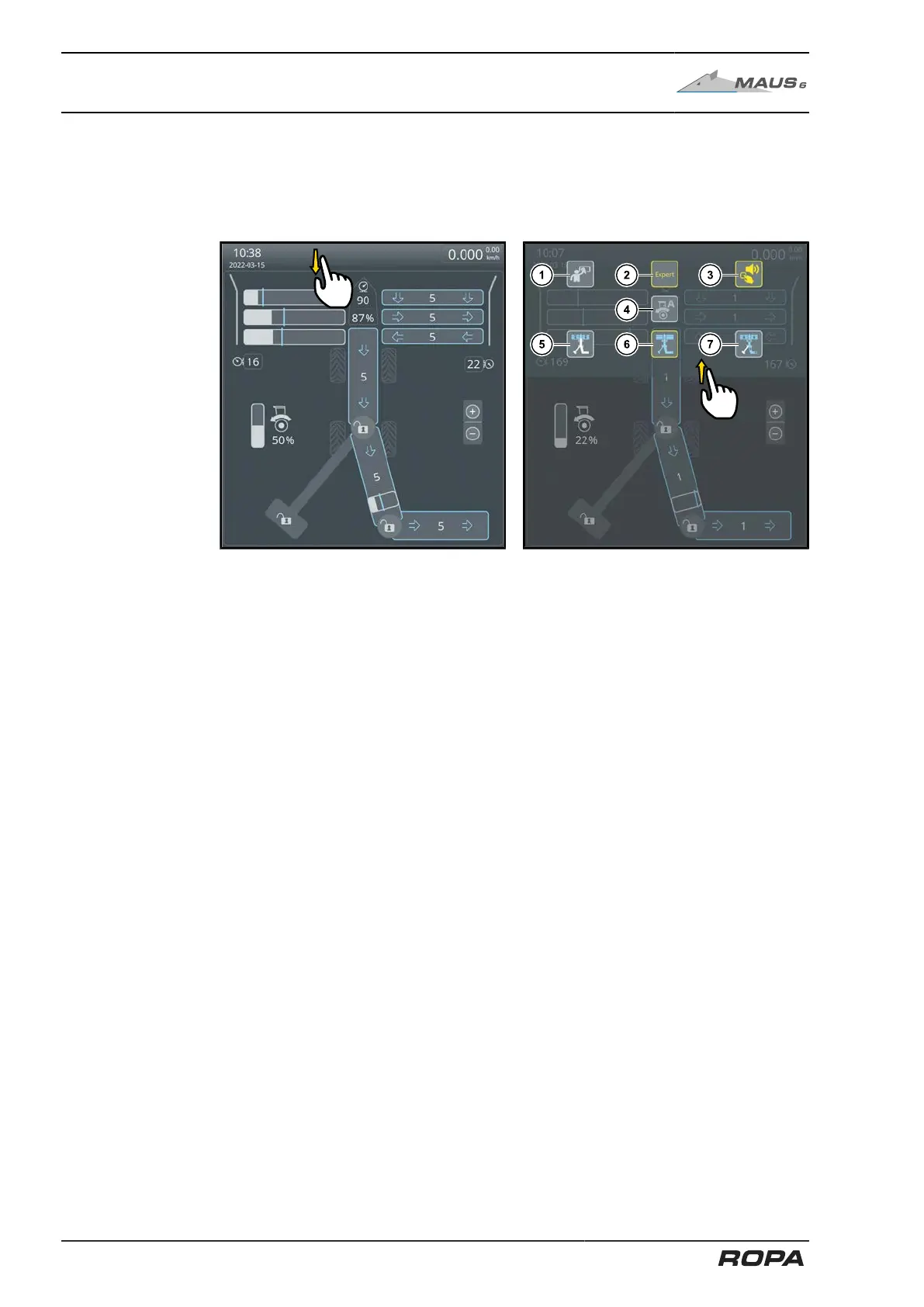
6.3.1.2 Fold out quick access window
Touch the display area on the left top screen with the finger and swipe from top to bot-
tom. Identical function also by pressing the OPT key.
The quick access window opens.
To close the quick access window touch it and swipe from bottom to top.
The following functions can be selected in the quick access window:
(1) Cleaning mode (See Page 115)
(2) Expert mode ON/OFF (See Page 460)
(3) Key tones ON/OFF
(4) Feed automatic activation ON/OFF (See Page 196)
(5) START loading mode (See Page 276)
(6) "LOAD" loading mode
(7) END loading mode (See Page 280)
114 / 546



 To Next Page