Operation
Water spray system (option)
6.15.3.6 Configuring water spray programs
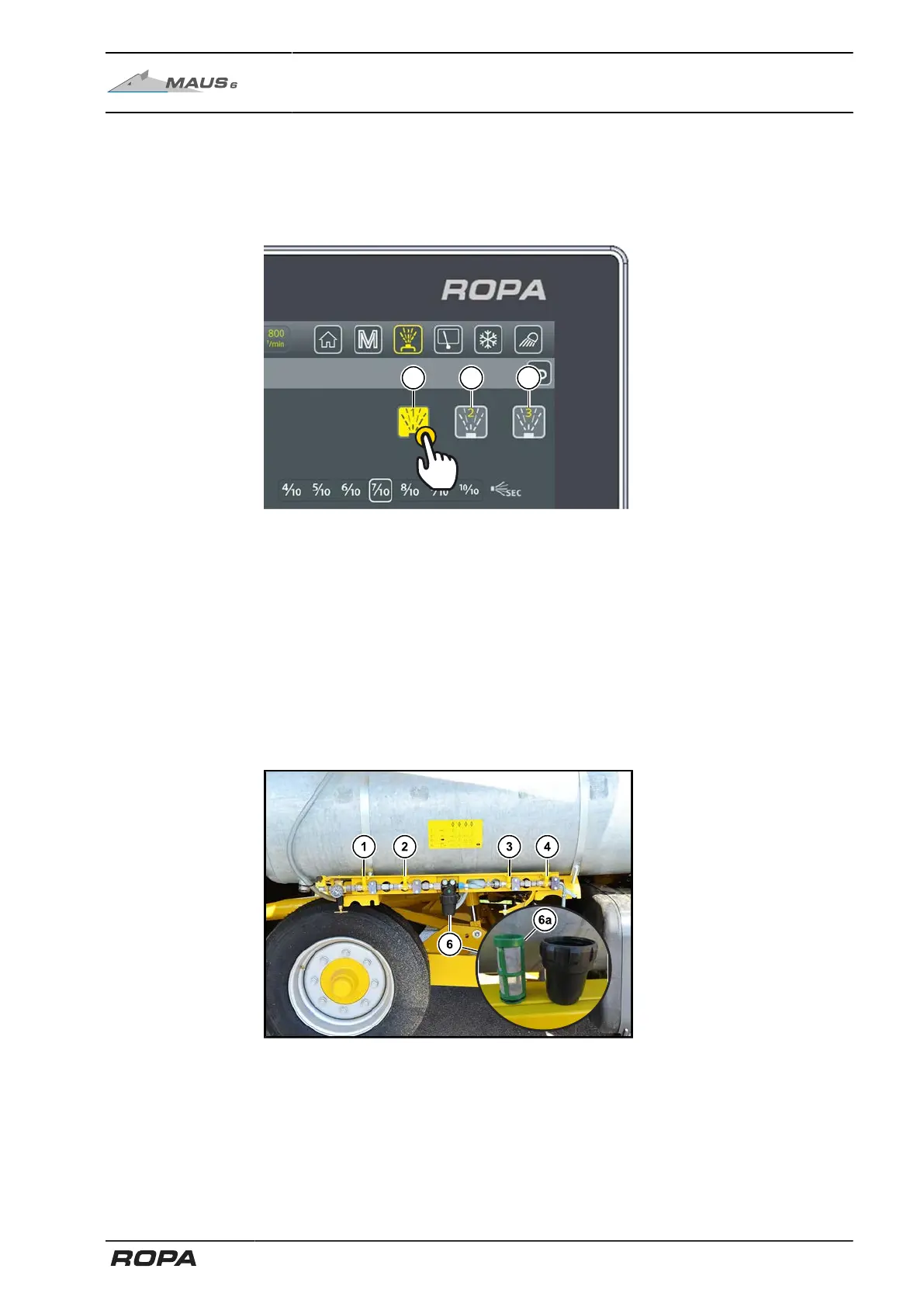
Water spray programs 1-3 can be individually assigned as desired. To do this, acti-
vate the desired spray nozzles and set the time and pressure control. By touching and
holding one of the water spray program touch fields (39-41), you can save the current
selection to this program.
(39) Water spray program 1
(40) Water spray program 2
(41) Water spray program 3
6.15.3.7 Cleaning of the water filter screen
Every time you fill up, check whether the filter screen (6a) in the filter bowl (6) is dirty
and clean the screen if necessary.
To open the water filter, close the ball valves (1), (2) and (3). Then open ball valve (4)
to release the pressure.
If the filter screen is damaged, a new one can be ordered under ROPA
item no. 208003200.
295 / 546



 To Next Page