Operating Components
Operating console R-Concept
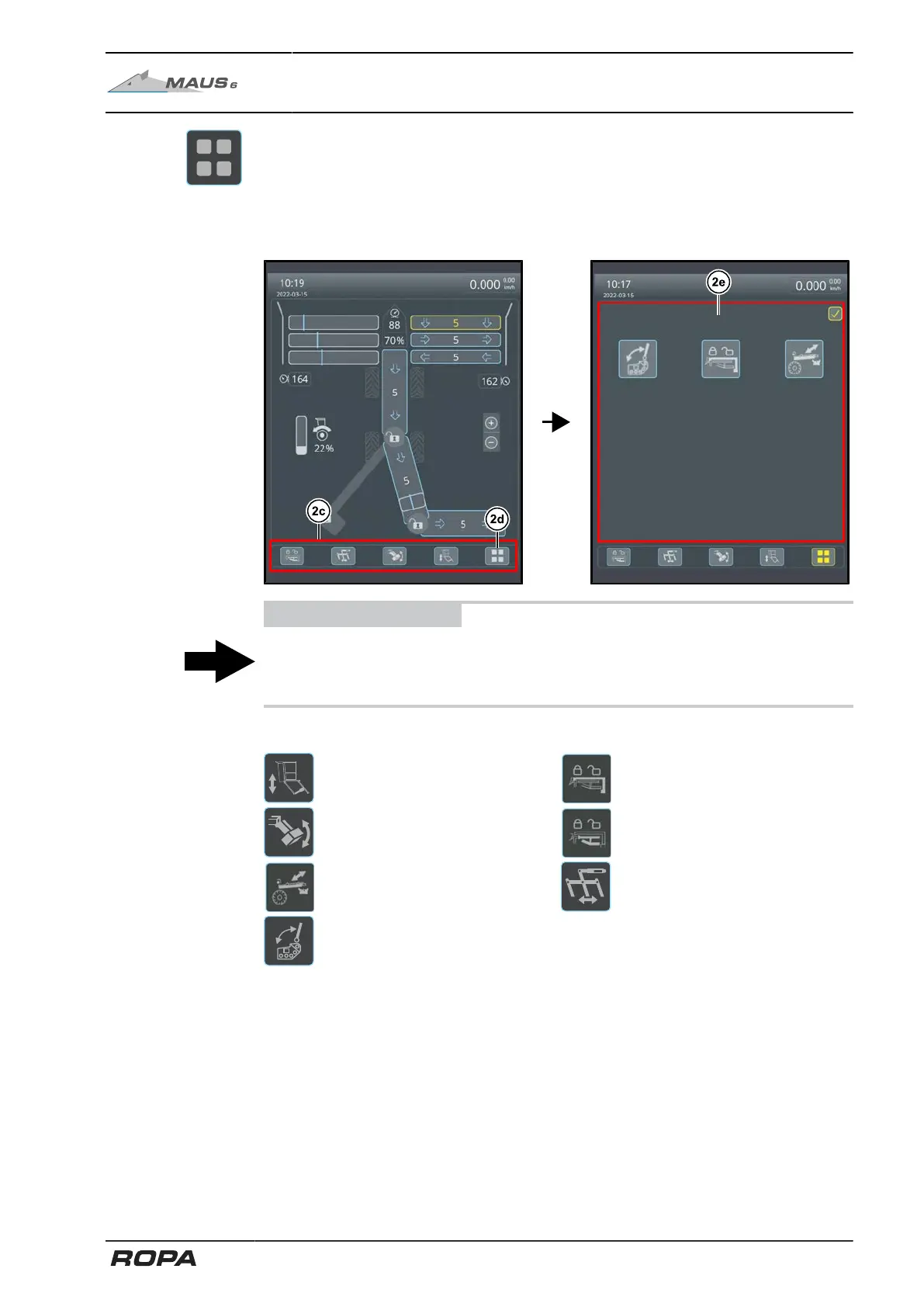
R-Select menu (2d):
The R-Select Quick Access Toolbar (2c) is located at the bottom left of the terminal.
Here, you can set further functions with the R-Select.
By pressing the key (2d) you open the R-Select menu (2e), in which further functions
can be selected.
ADVICE
You can also open the R-Select menu (2e) by holding one of the icons of the Quick
Access Toolbar (2c). Here you can select another icon to add it to the Quick Access
Toolbar. Thus, the Quick Access Toolbar can be set individually.
The following functions are included in R-Select menu:
Raise/lower driver's cabin Counterweight arm lock
Raise/lower counterweight Swivel arm lock
Rotate recleaner Adjust beet brake
Fold plates in/out
87 / 546



 To Next Page