Rovema CMK Operator’s Manual
Section 5: Operator Controls
200246 CMK Operators Manual (02/06/2006) 5-32
HMI (Human-Machine-Interface)
Batch Control Menu – Continued
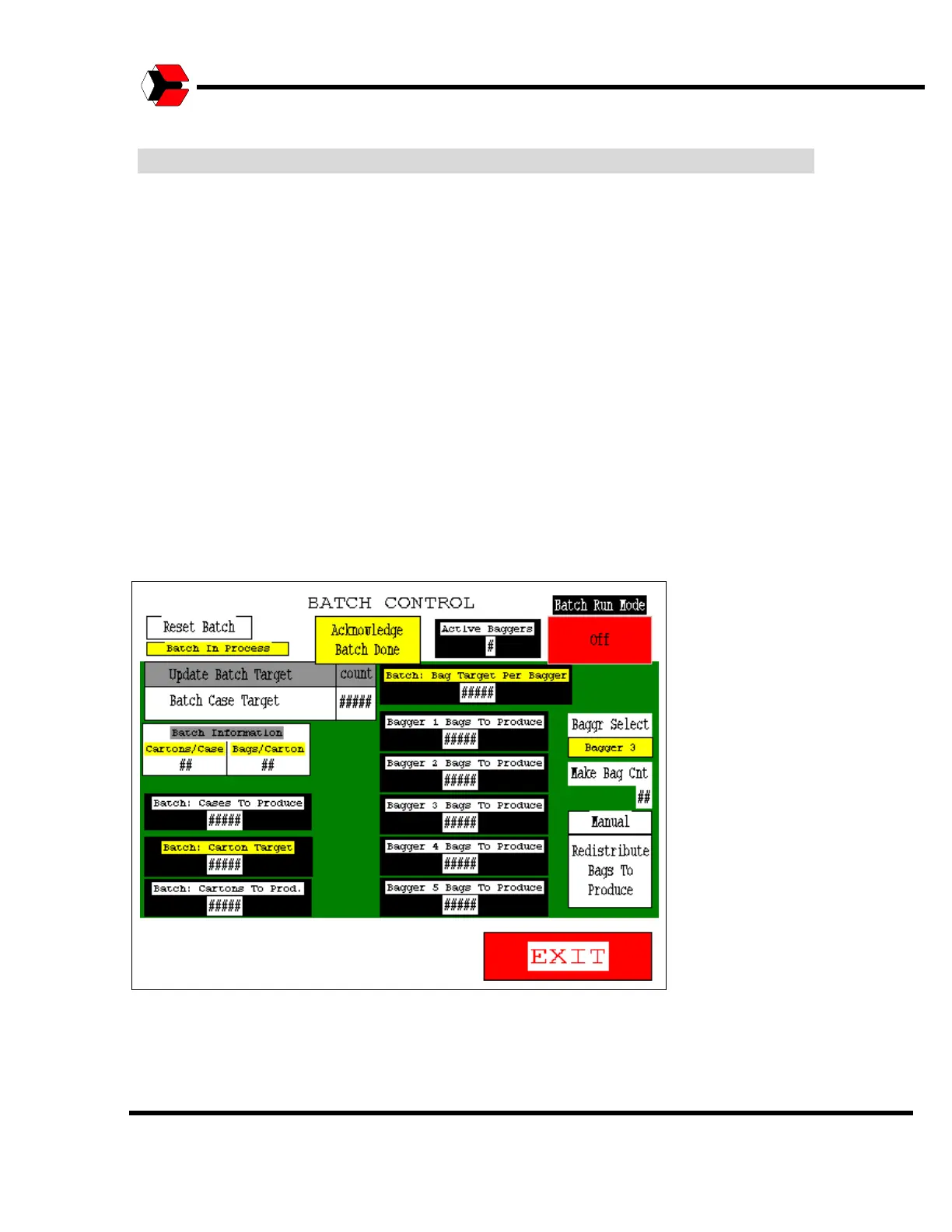
The “Batch Case Target” button determines the total number of cases to be
produced in the current batch. The other information (yellow or white titles and white
numbers on black backgrounds) show information about the current batch that is
calculated based on the target case count and recipe settings for the number of
cartons per case and bags per carton.
The “Target” numbers (yellow labels) are the totals that will be produced in the
current batch and the “To Produce” numbers (white labels) show the amounts
remaining to be produced before the end of the batch.
The “Redistribute Bags To Produce” button allows the total number of bags left to
produce for the current batch to be distributed evenly among active baggers if one
will be down for an extended period or if one starts producing again after an
extended downtime.
Figure 5.38
Batch Control Screen



 To Next Page