Rovema CMK Operator’s Manual
Section 5: Operator Controls
200246 CMK Operators Manual (02/06/2006) 5-33
HMI (Human-Machine-Interface)
Downstream Setup Menu
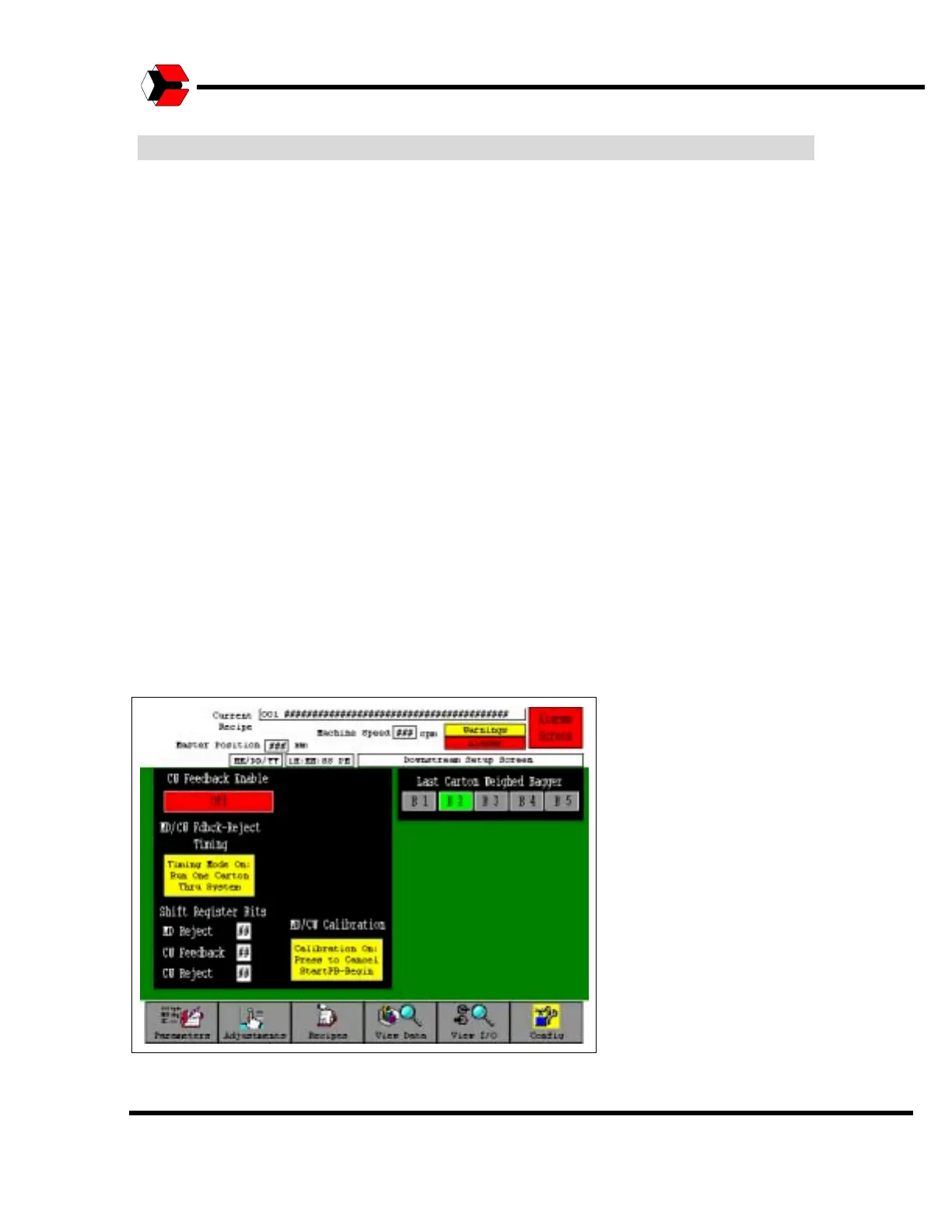
The Downstream Setup screen is accessed from the Adjustments screen. This
screen allows you to set up communications with downstream equipment.
The “CU Feedback Enable” toggles between On and Off to determine if the cartoner
takes the carton weight feedback information from the checkweigher and sends
correction information to the baggers.
The “MD/CU Fdbk-Reject Timing” button may be set to Timing Mode On, to run one
carton thru the system in order to set the metal detect reject, checkweigher reject
and checkweigher feedback timing. This allows the system to track reject and weight
information to individual baggers. One carton must be sent through the system for
each of the three categories that need to be tracked. The Batch Control screen can
be used to send one carton worth of product from any bagger. A metal detect reject
of this carton must be triggered in order to calibrate the metal detect reject timing.
The same is true of a second carton for checkweigher reject. Any carton that runs
across the checkweigher will trigger weight feedback but one should be sent through
the system and not be rejected in order to ensure accuracy.
The “MD/CU Calibration” button may be set to Calibration mode. Calibration mode
disables the upstream permissives to all of the baggers, runs any remaining product
through the system until the cartoner is empty and then stops the cartoner while
leaving the discharge conveyors running. This allows test products to be sent across
the metal detector and checkweigher conveyors for calibration purposes. Normal
production will resume when Calibration mode is turned off.
Figure 5.39
Downstream Setup Screen



 To Next Page