Rovema CMK Operator’s Manual
Section 5: Operator Controls
200246 CMK Operators Manual (02/06/2006) 5-47
HMI (Human-Machine-Interface)
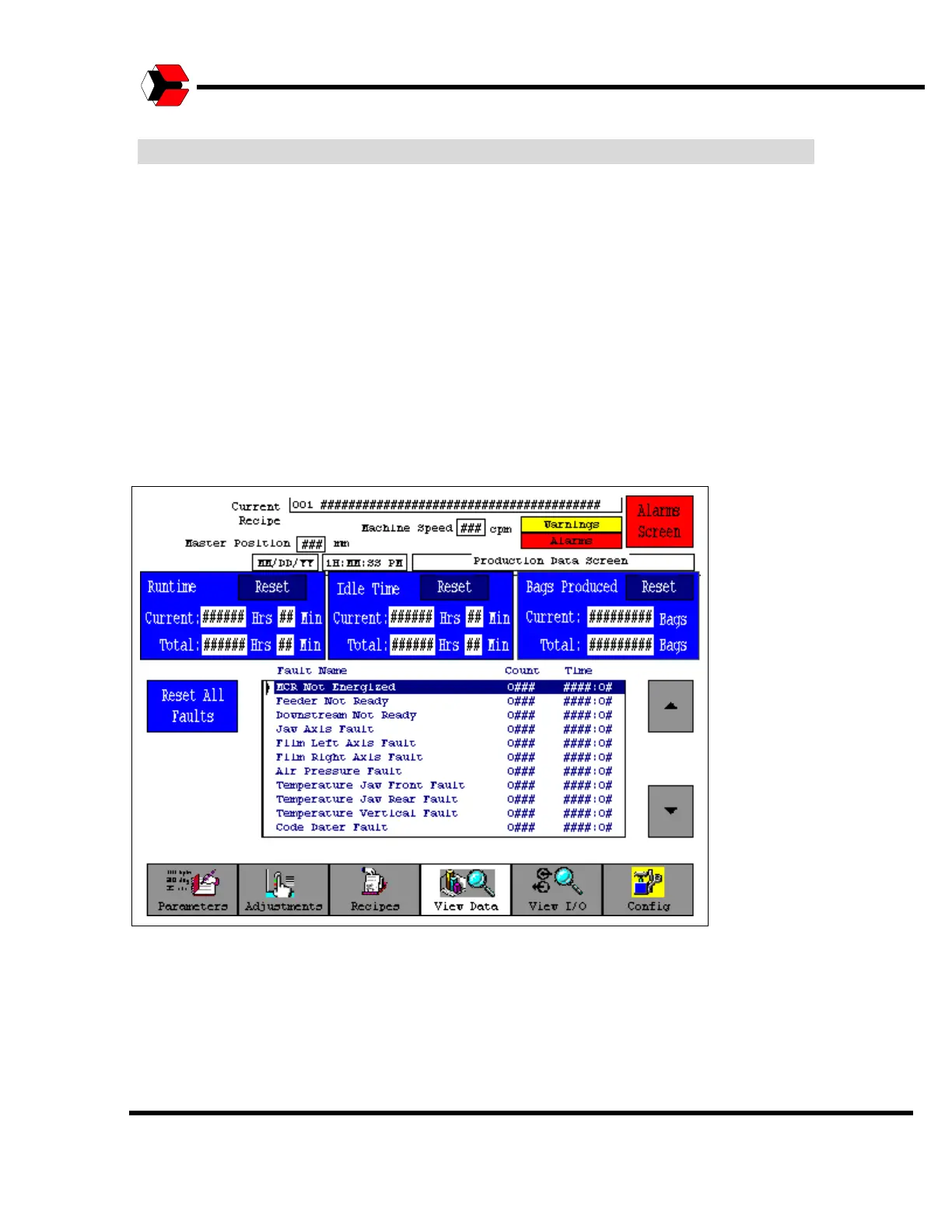
View Data Screen
The Production Data screen can be accessed from the View Data button on the
Main Menu Tree bar. The Production Data screen indicates Run Time, Idle Time,
Cases Produced, and Fault information.
The frequency of alarm occurrences is shown in the list box at the bottom. All of the
counts are reset by the operator, thus an operator may determine how many cases
were produced during a shift or how many cases were produced for the week. This
depends on when the count is reset.
Figure 5.54
Production Data Screen



 To Next Page