Rovema CMK Operator’s Manual
Section 5: Operator Controls
200246 CMK Operators Manual (02/06/2006) 5-34
HMI (Human-Machine-Interface)
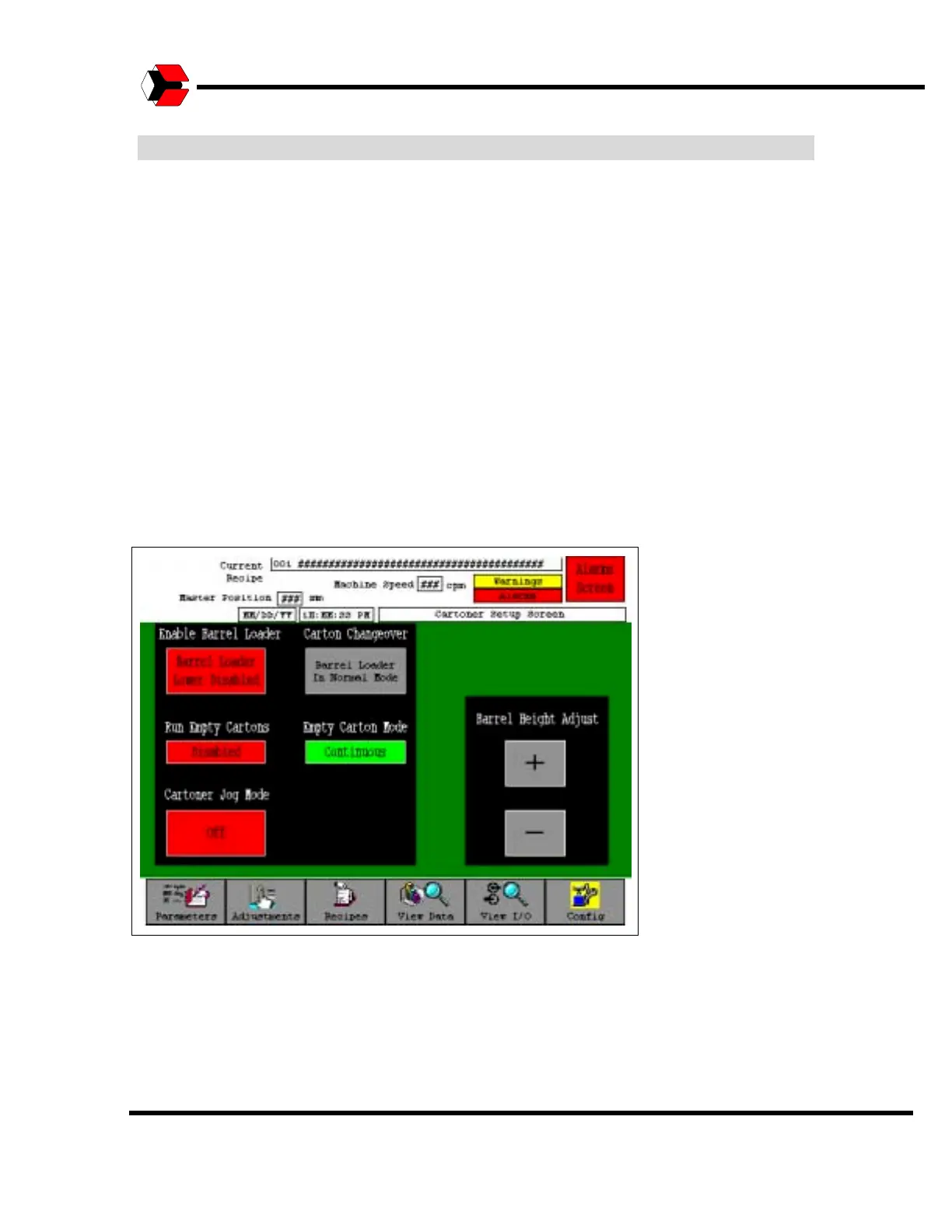
Cartoner Setup Screen
The Cartoner Setup screen is accessed from the Adjustments screen. This screen
allows you to make various adjustments that are necessary while setting up the
machine.
The “Enable Barrel Loader” button may be used enable or disable the barrel loader.
This button should be toggled to “Enable” to perform normal production. During
changeover, toggle this button to “Disable the Barrel Loader” to change the
machines settings. When disabled the barrel loader rises up to its maximum position
in order to be clear of the bucket chain conveyor.
The “Run Empty Cartons” buttons is used to run empty cartons through the
machine. If this button is enabled, then the “Empty Carton Mode” button may be set
to “Continuous” to make a continuous run of empty cartons. The “Empty Carton
Mode” button may be toggled to “One Shot” to run one carton through the machine
for testing purposes.
Figure 5.40
Cartoner Setup Screen



 To Next Page