Rovema CMK Operator’s Manual
Section 5: Operator Controls
200246 CMK Operators Manual (02/06/2006) 5-35
HMI (Human-Machine-Interface)
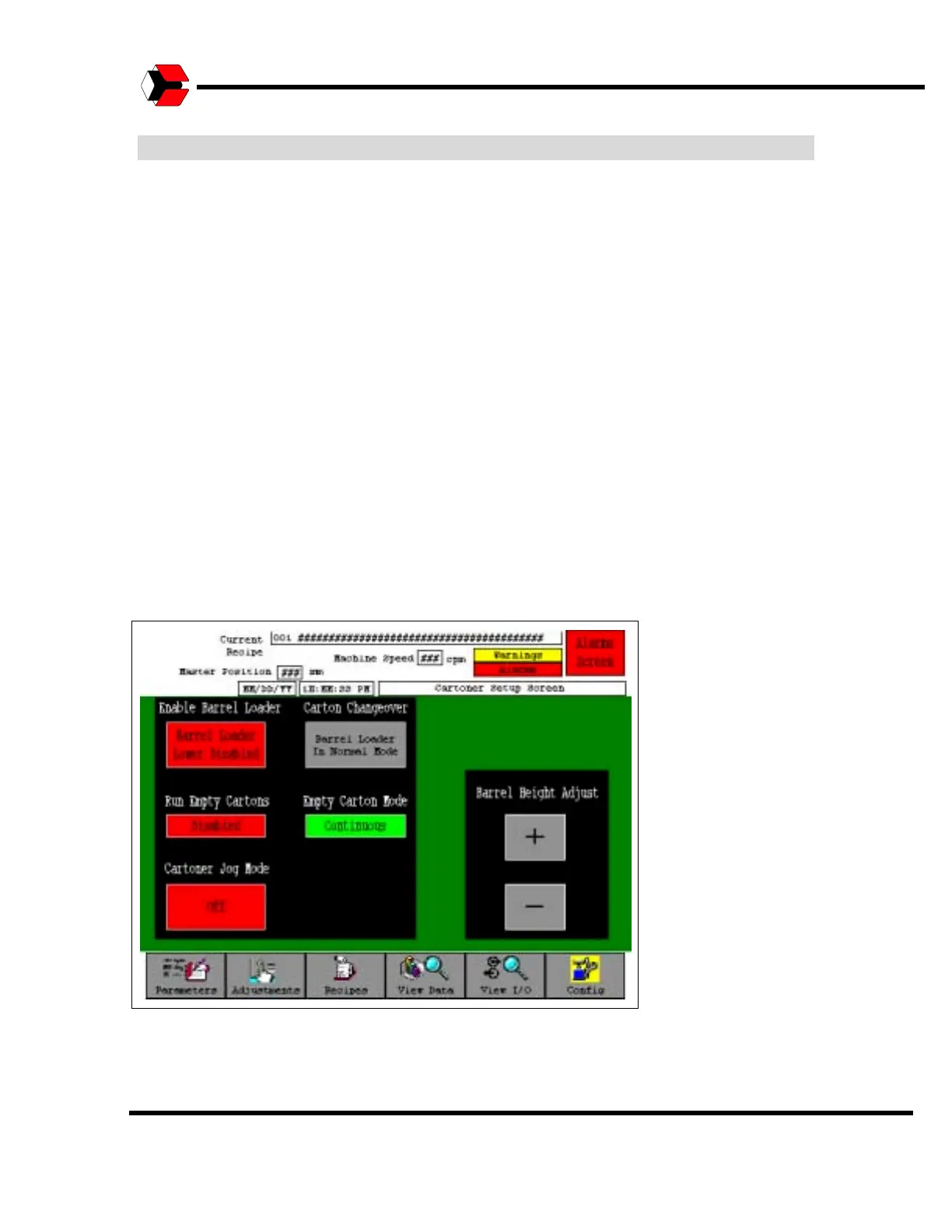
Cartoner Setup Screen - Continued
The “Cartoner Jog Mode” button, allows the machine to be jogged, in a slow yet
steady pace. When set to On the cartoner can be jogged with either to jog pendant
button or the machine start (jog/run) button. The cartoner will not start for continuous
production at normal run speed in when this button is On. When set to Off, the
cartoner can only be jogged with the jog pendant button. The run button will start the
machine for normal production.
The “Carton Changeover” button must be toggled to changeover when setting up
the machine to a new carton size. This allows the barrel loader to be rotated by
hand to remove and replace the required parts.
Raising the Barrel Loader to the upper height is required while performing a
changeover. The barrel loader can be sent to its maximum position by disabling it
as described above but it can be moved anywhere between its maximum and
minimum positions with the “Barrel Height Adjust” buttons. Pressing the “+” button
moves the barrel loader in the upper direction, the “-” button moves it down.
Figure 5.41
Cartoner Setup Screen



 To Next Page