Rovema CMK Operator’s Manual
Section 5: Operator Controls
200246 CMK Operators Manual (02/06/2006) 5-44
HMI (Human-Machine-Interface)
Load Recipe Screen
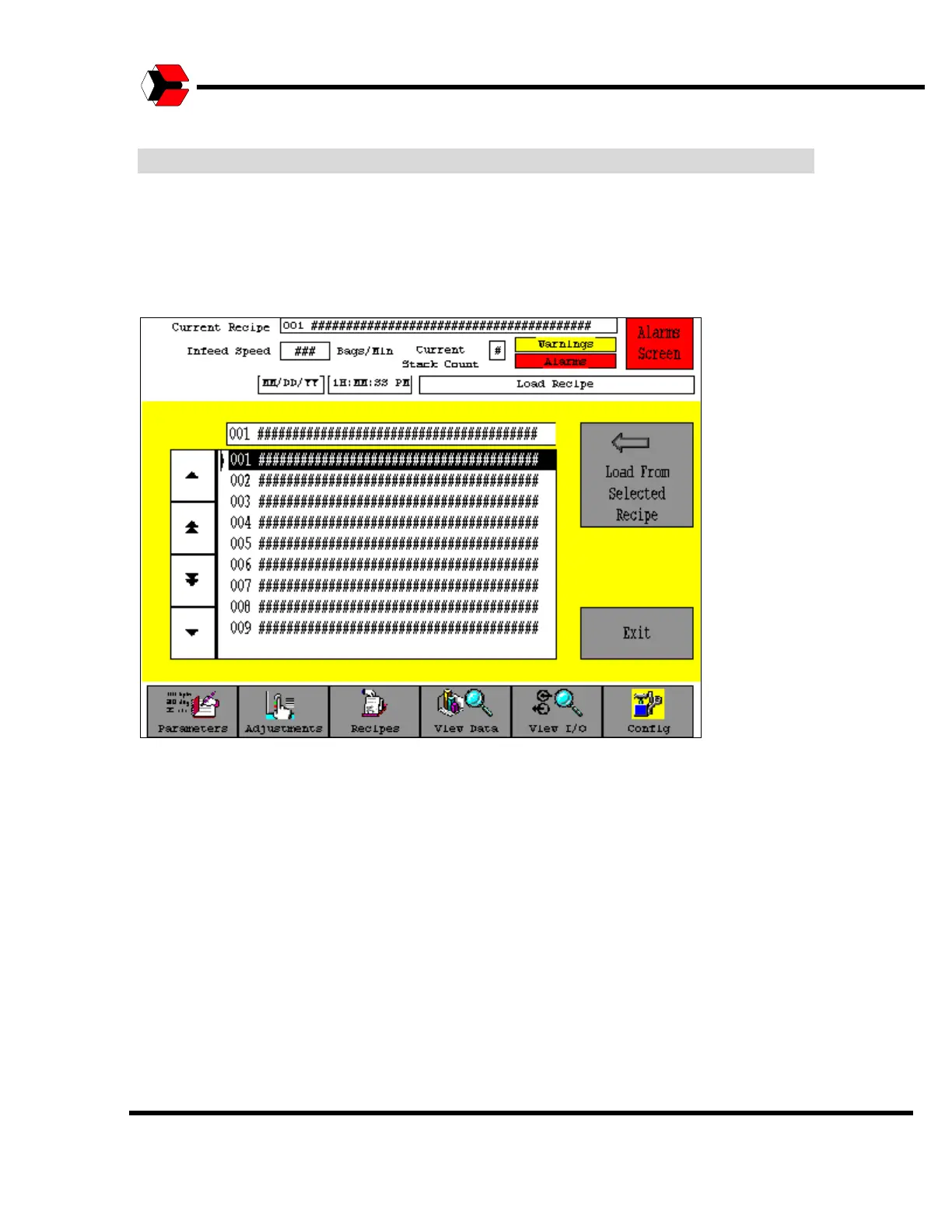
When the Operator selects “Load Recipe”, the Load Recipe screen will appear as
shown in the figure below. This screen is not password protected.
Figure 5.51
Load Recipe Screen
The screen shows a scroll list of all 100 recipes in the controller, and provides a
Load button, which allows the Operator to load a recipe from the controller’s
memory. Use the scroll arrows to select the desired recipe. The Operator may also
return to the Recipe Management screen without loading a recipe by pressing the
Exit button.
While the load function is in progress, the text on the Load button changes to display
“Loading”. When the load is complete, the Load button will return to its normal state.



 To Next Page